


Anyone with an online shop running on Store.link can greatly benefit by integrating store locator software on their website. This simple tool is powerful enough to help you build customer trust, boost conversions, and enhance customer satisfaction.
Store locators help to close the gap between convenient online browsing and the assurance of physical access. They help customers to find your nearest outlet, pickup point, or service center instantly. For many shoppers, an efficient store locator can be the difference between actually buying the product and abandoning their cart.
Today, let’s explore (especially a Store.link store locator) is more than an optional tool; it’s an essential tool, and a strategic one.
The Changing Face of E-Commerce: Why Store Locators Are Growing Vital
The Growth of E-commerce: the backdrop
- The United States had almost 12 million e-commerce sites in 2025, which is nearly r half of the online stores in the world; this showcases the dominant position of the US.
- This is a saturated market, and several brands and sellers compete online. It is no longer enough to simply list products. Convenience, clarity, and credibility help build trust and give you a competitive edge.
Consumer preference for hybrid shopping
Though online shopping is on the rise, many consumers still want to visit physical stores. As per recent retail marketing studies, 65% of shoppers look up products online but prefer to purchase or pick up the products from stores after actually examining them.
- Global research says that 50% of online shoppers prefer to buy from stores offering local pickup options.
- Recent research tells us that when BOPIS or “buy-online, pick-up-in-store” is offered, 67% of users buy a few more items during pickup, offering offline upsell opportunities.
These numbers clearly show that while today, shoppers may often start online, they still look for the convenience of physical stores. For businesses running on Store.link, a store locator tool like LocateStore becomes the key link between the offline and online worlds.
What a Store Locator Does: Core Features & Value
An effective store locator widget is not only about plotting pins on a map. It offers several crucial benefits and features that improve both user experience and business efficiency.
Key Benefits And Features
- Interactive Map and Accurate Navigation. With in-built Mapbox-driven maps, shoppers receive exact location data and directions to the nearest store selling products they want, whether they search on mobile or PC. Users can filter by city, ZIP code, radius, service type, stock availability etc. This ensures that location discovery is fast and personalized.
- Bulk Data Management. Businesses that have several branches or service centers can save time and ensure updated information by using spreadsheets to upload and maintain bulk data.
- Faster Pickup / Local Availability. Customers who want quick delivery or want to inspect products before buying can find nearby stores instantly. Enhanced Transparency and Trust. Having physical presence shows credibility, especially for first-time online buyers who’re unsure about quality or reliability. Reduced Customer Support Load. Common questions regarding deliveries and locations can be proactively answered by the locator, reducing support tickets.
Therefore, a store locator transforms your Store.link store from a purely online experience into a hybrid, omnichannel presence, improving customer flexibility and options
Why LocateStore Is Ideal for Store.link Sellers
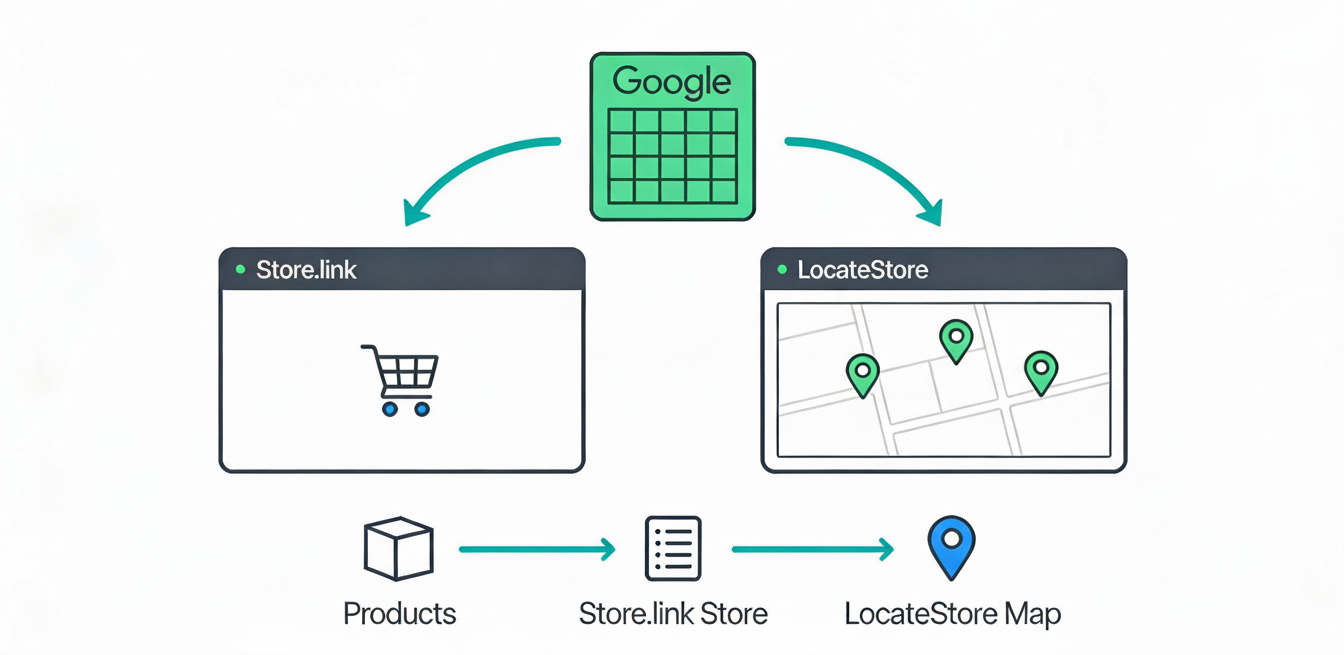
Not all store-locator tools are the same. LocateStore offers a simple and effective approach for Store.link businesses. Let’s see why it stands out:
Google Sheets–based Backend
- LocateStore uses Google Sheets to store and manage data and doesn’t require complex databases or coding knowledge.
- Adding, changing, or deleting store locations is super easy; it just needs the updating of a spreadsheet. This makes it perfect for small and mid-size brands and businesses with a growing or rapidly changing list of stores and retailers.
- Since Store.link itself manages products through Google Sheets, Store.link sellers can manage their store locations in the same familiar spreadsheet environment using LocateStore without learning a new system or dashboard.
Mapbox Integration for Navigation & Maps
- The LocateStore locator tool uses Mapbox for maps and directions or navigation; it is reliable, superfast, and mobile responsive
- Customers get exact directions, which improves their overall experience and increases footfall to their physical stores, outlets, or pickup centers.
Search, Filters And Bulk Uploads
- Businesses can upload any number of store data entries at the same time. That is very useful when you have distributors, branches, dealers, service centers or multiple pickup points across several cities.
- Customers benefit from multiple search and filter options like radius, city, region, stock availability, or service type, making it easy for customers to find exactly what they need.
Local SEO & “Near Me” Search Visibility
- Structured store data improves local search rankings.
- Helps stores appear in “near me” and location-based searches.
- Drives high-intent local traffic and increases both online conversions and physical visits
Easy Integration with Store.link
- Since Store.link already uses Google Sheets to manage products, LocateStore fits seamlessly into the same no-code, spreadsheet-based workflow allowing sellers to manage store locations without needing an IT expert.
- This shared Google Sheets workflow makes adoption simple, even for sellers with limited resources, giving them a professional, user-friendly store locator without heavy setup or cost.
Who Benefits the Most: Types of Sellers & Customers
A store locator isn’t useful only for big businesses. In fact, it’s especially beneficial for many small businesses, and for certain kinds of sellers and customers:
Multi-location Brands & Distributors
Any business that operates through dealers, franchise stores, or distributor networks in the same city, across many cities, or even countries needs a store locator. It helps to centralize all the information and makes it simple for customers to find the closest branch or centre.
Brands Selling High-Touch or High-Value Products
Many products like apparel, electronics, fashion accessories, cosmetics, or home goods are such that customers want to see, touch, try them on or check the functioning through a live demo before buying. Such businesses can tremendously benefit from using a store locator on their Store.link site.
Urban And Semi-Urban Customers (Including Tier-2 / Tier-3 Cities)
Data shows e-commerce in the US isn’t just limited to big cities. Smaller cities and towns are also witnessing immense growth in the area. Customers living in such areas, with local availability via nearby stores or pickup centres, will be able to quickly decide if they want to engage with a brand or not.
Busy Professionals And First-Time Buyers
Many customers today, especially working professionals or those buying online for the first time, look for convenience, clarity, and trust. A store locator gives them all three: the ability to search quickly, navigate clearly, and see the physical store locations.
Common Objections And Why a Store Locator Overcomes Them
Objection #1: “We are a small business; do we really need a locator?”
Yes, exactly because you are small. A store locator doesn’t need expensive infrastructure, especially with LocateStore, which is fully based on Google Sheets and requires no coding.
LocateStore even offers a free plan for small businesses to get started without any investment. As your business grows, you can easily upgrade to access more advanced features.
Using a store locator helps you appear bigger, more professional, organized, and credible, giving you a distinct advantage over larger e-commerce competitors.
Objection #2: “We only deliver we don’t have physical stores.”
Even if you don’t have stores, a store locator tool helps if you have many pickup points, regional warehouses, service centers, distributors, or partner dealers. Displaying the closest pickup or service point can greatly help reassure customers and offer them the flexibility for delivery or pickup.
“Maintaining store lists seems tedious.”
When you have a Google Sheets–based backend, doing bulk uploads and making changes are super easy. Once it’s set up, your locator can be updated with the least effort.
Real-World Impact: What Data Suggests
- As per a study, offering local pickup impacts the decision-making of one-half of online shoppers when they are deciding where to buy from. Among shoppers who prefer store pickup, 67% buy additional items apart from what they booked online when they visit the store. This presents incredible opportunities for cross-selling.
- Retail data analysis tells us that 65% of users search for products and services online before visiting a store to buy. This means that many shoppers begin their customer journey online before visiting a store physically and completing the purchase.As e-commerce in the US continues to grow phenomenally, with hundreds of thousands of active stores, differentiation through experience and convenience (like store locators) becomes extremely essential.
This research clarifies that adding a store locator isn’t just about convenience, it’s a strategic move that drives growth, builds customer trust, and delivers competitive advantage.
How to Implement a Store Locator on Store.link
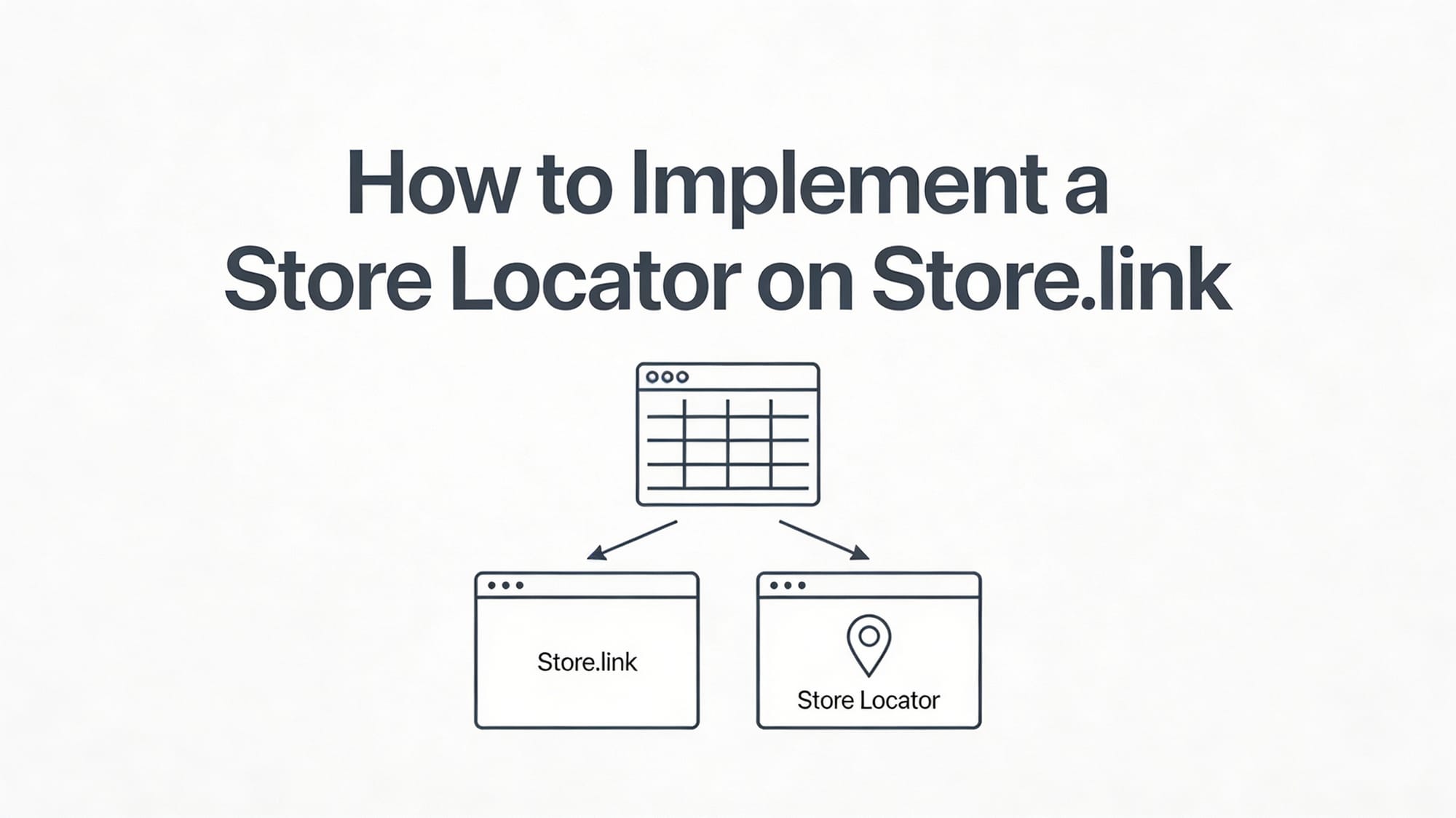
It is a very easy and quick process.
Step 1: Log in and Create Your Store Locator
- Log in to your LocateStore account.
- From your dashboard, click “Create New Store Locator, give it a name, and choose your preferred color theme.
- Your new store locator is created instantly and ready for setup.
Step 2: Add Your Store Locations
- Go to the “Stores” section in your dashboard and open the Google Sheet provided.
- The sheet has ready-made columns like Store Name, Address, City, ZIP, Contact Number, and more.
- Add each store in a separate row. You can also create custom headers for extra filters if needed.
- Any updates you make in the sheet automatically sync to your store locator.
Step 3: Preview Your Store Locator
- Use the preview URL in your LocateStore dashboard to check your map and store details.
- Make sure all locations, filters, and pins appear correctly before embedding.
Step 4: Get the Embed Code
- In your dashboard, go to “Setup Your Store Locator” Website, and copy the generated embed code.
- This code connects your Google Sheets data to your Store.link page.
Step 5: Embed the Store Locator on Store.link
- Open your Store.link page editor and add a Code Block (or HTML widget) where you want the map to appear.
- Paste the LocateStore embed code inside it.
- Save and publish your page.
Keep data updated: You simply have to update your Google Sheet when you open new stores or change existing ones. The store locator automatically reflects changes, regardless of how many you make.
Also read: How To Make Your Own Map With A Store Locator?
Conclusion
In today’s competitive e-commerce landscape, merely having an online store is not enough. Customers value trust, convenience, flexibility and clarity.
A store locator app transforms your Store.link website into a hybrid, omnichannel platform, combining the convenience of online search with the flexibility and convenience of a physical store. It allows customers to find your closest store or pickup point, supports BOPIS, answers their queries about availability or delivery, and often leads to additional offline sales.
With LocateStore, a solution driven by Google Sheets and Mapbox, installing a professional store locator tool becomes easy, economical, and manageable for sellers regardless of size.
Make a smart move: incorporate LocateStore on your Store.link ecommerce site and see your conversions increase, your brand grow, and customer satisfaction enhance.
FAQs
What is store.link?
Store.link is an easy-to-use platform that lets you create an online store directly from a Google Sheet. You can manage products, sync inventory automatically, accept payments, and share your store online all without coding. It offers free and paid plans, is SEO-friendly, mobile-optimized, and allows you to get orders via email, WhatsApp, or your sheet
How do online shoppers benefit from a store locator on Store.link?
A store locator helps customers quickly find nearby stores, pickup points, or service centers. They can also check if the products they want are in stock, so they avoid unnecessary trips to the physical store.
How does showing store availability build brand credibility?
Displaying actual physical store locations shows transparency and proper presence. This makes customers more confident about your brand, especially if they are first-time buyers or just wary of online purchases
Is there a simple tool to add store search and filters to Store.link?
Yes, LocateStore offers a store locator tool that’s tailored for Store.link. It offers search, filters, Mapbox map navigation, and bulk store data management and eliminates coding.
Can I bulk upload store data into a store locator for Store.link?
Absolutely. LocateStore is built on Google Sheets, which makes it easy to upload, edit, and update in bulk. You can manage any number of store entries without a complicated database and coding.