
If you no longer need a store locator, you can delete it directly from your dashboard by following the steps below.
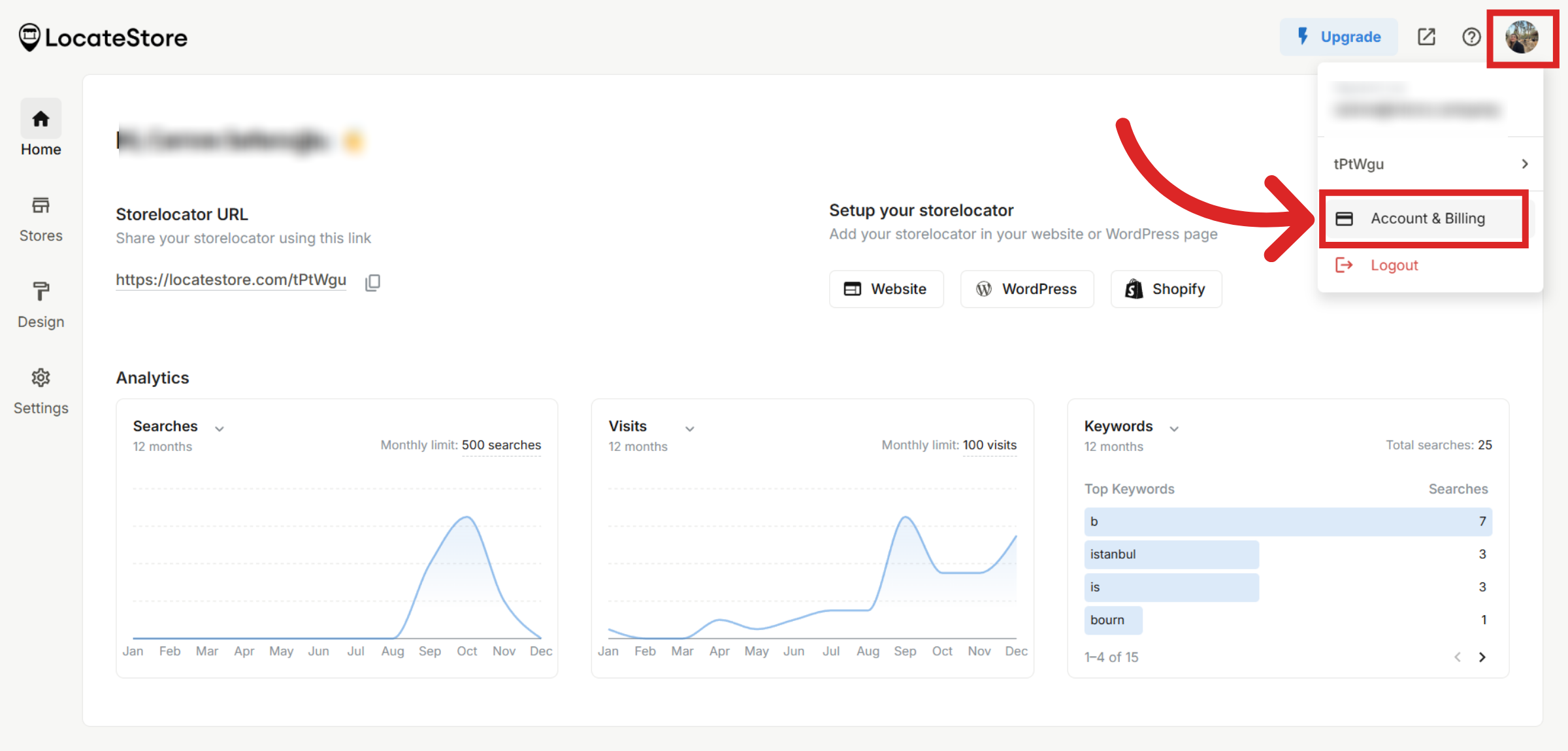
Go to Account & Billing
On your dashboard, click on your profile at the top right side of the page and choose Account & Billing.
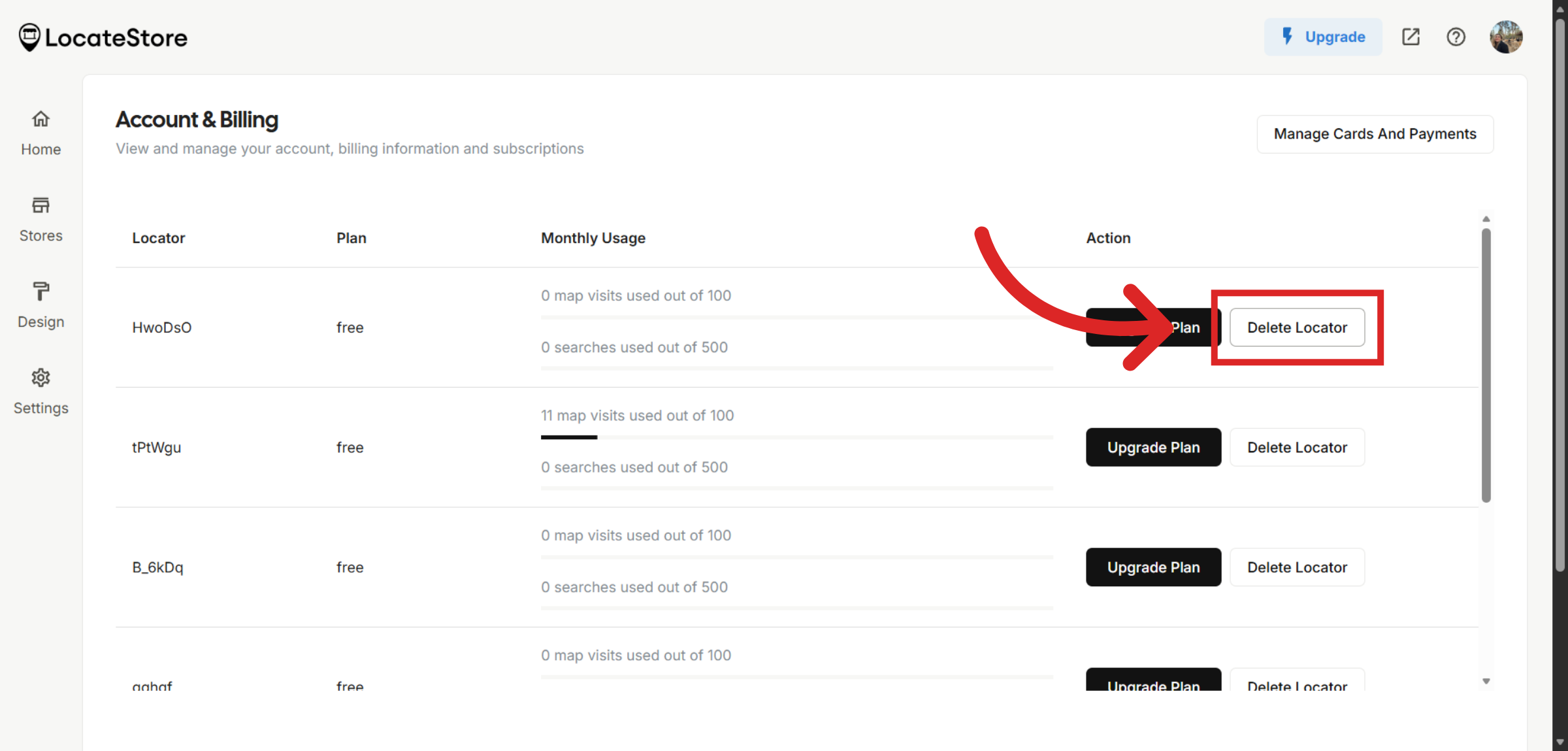
Delete Locator
On this page, you will see each of your store locators. Choose the one you would like to delete and click on Delete Locator to initiate the deletion process.
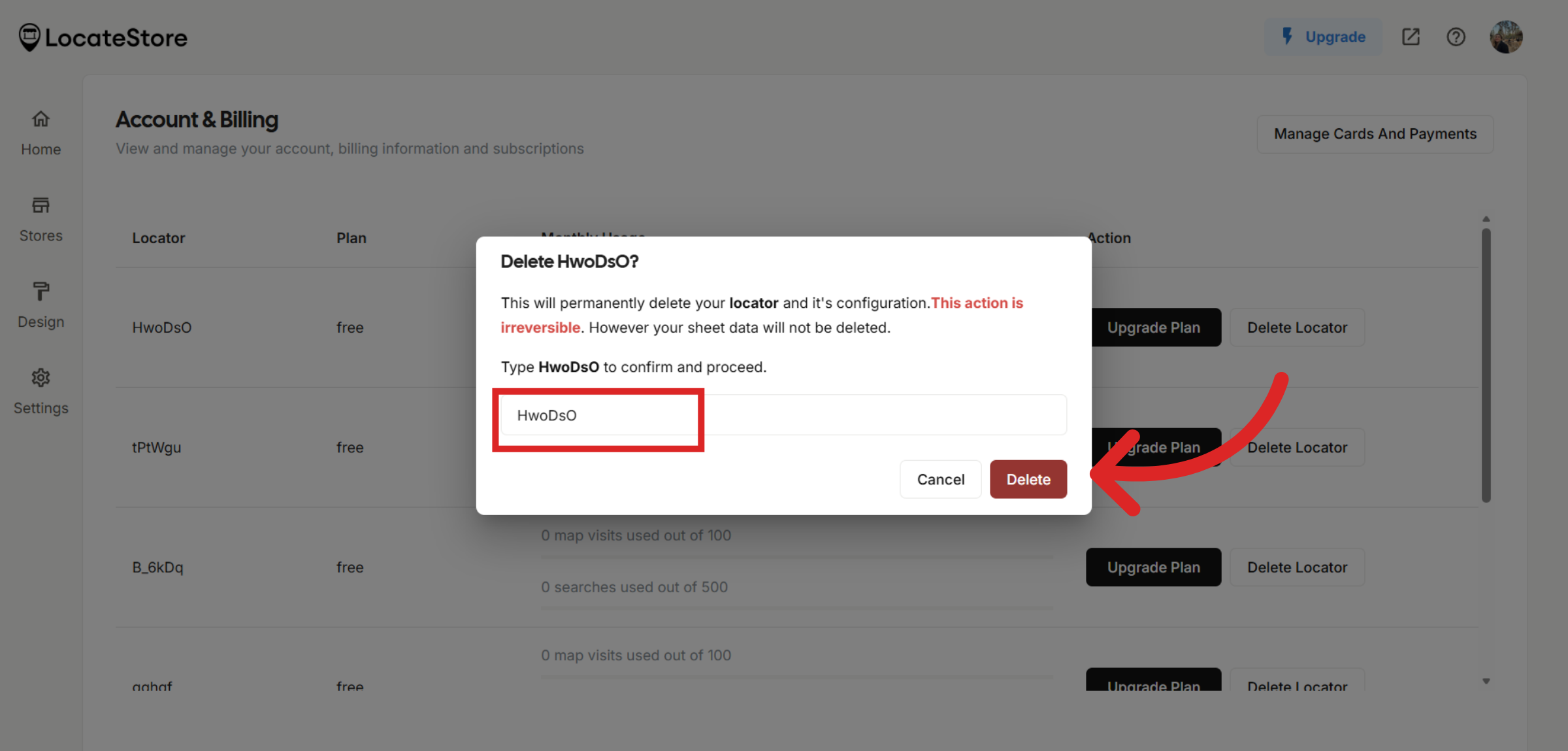
Confirm Deletion
Type your store locator URL to confirm your choice and click on the Delete button. This will permanently remove the locator from your account.
Note
This action is not reversible. You will lose all the data if you decide to delete your store locator.
Tip
Deleting a store locator does not delete the connected Google Sheet. If you no longer need it, you must manually remove the sheet from your Google Drive.
Still need help?
Contact us