
If you need to move a store locator to a different LocateStore account, you can easily transfer it. Please note that store locators must be transferred individually.
Go to Account & Billing
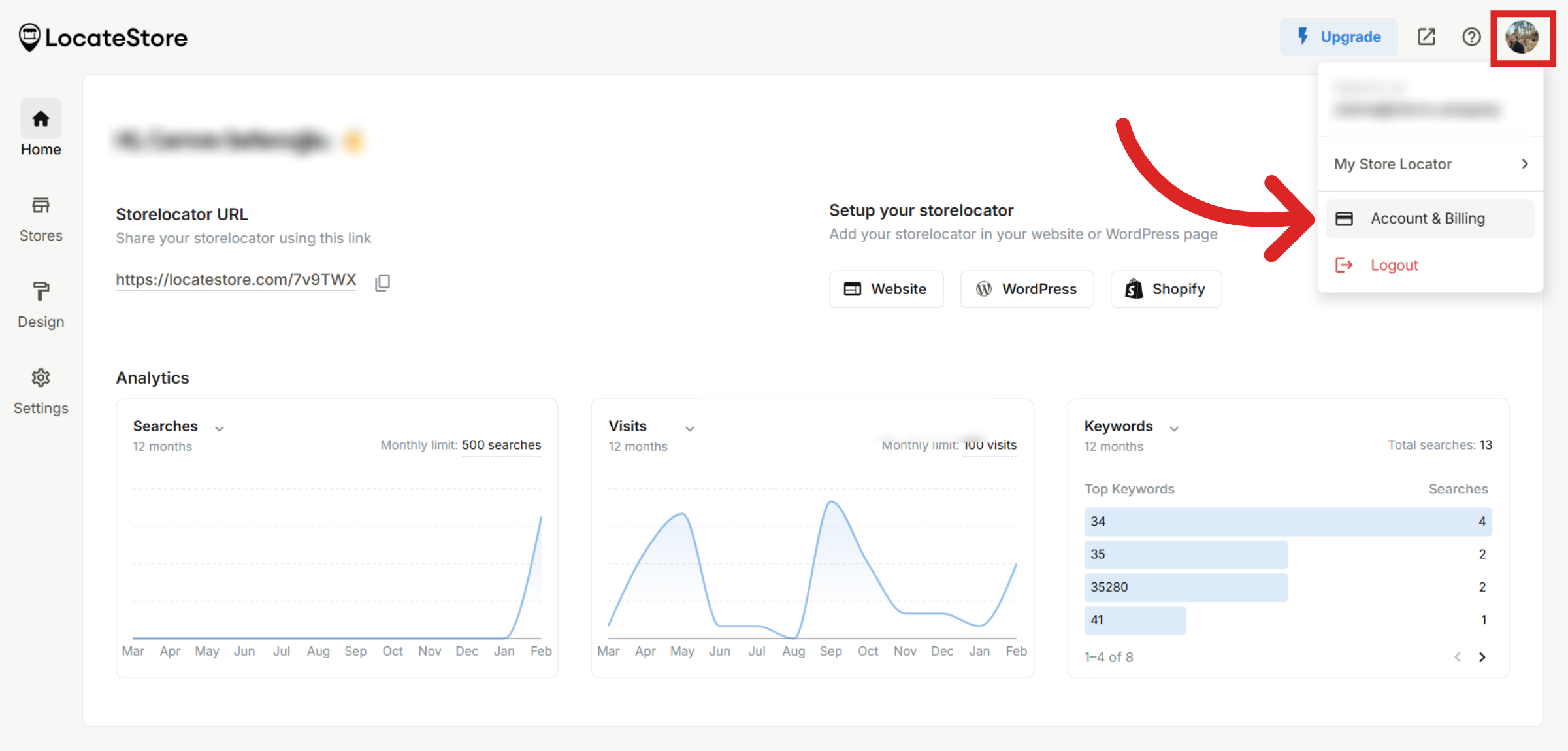
Log in to your LocateStore dashboard and click on your profile picture at the top right corner. Select Account & Billing from the dropdown menu.
Transfer Locator
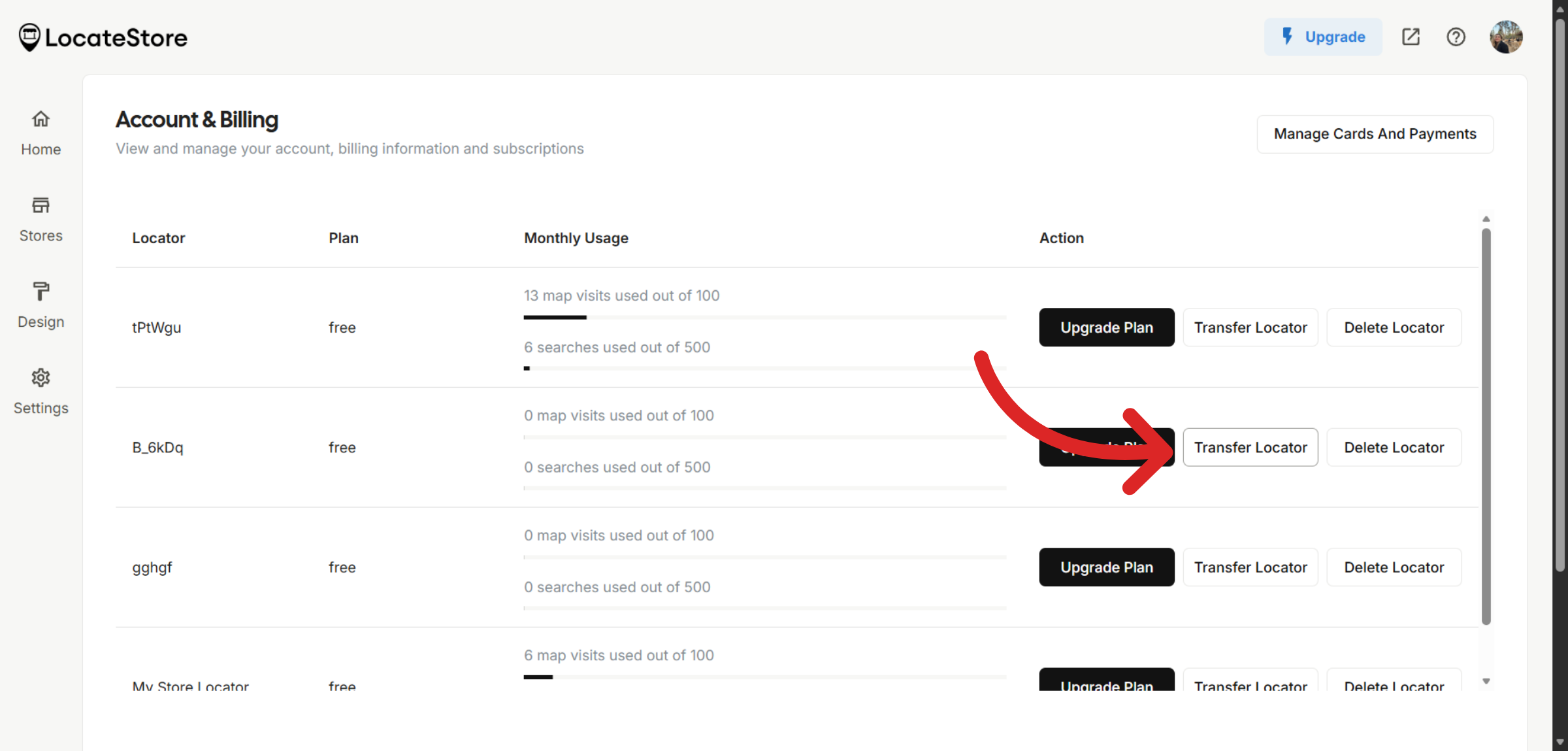
On the Account page, you will see a list of your store locators. Find the one you want to transfer and click Transfer Locator next to it.
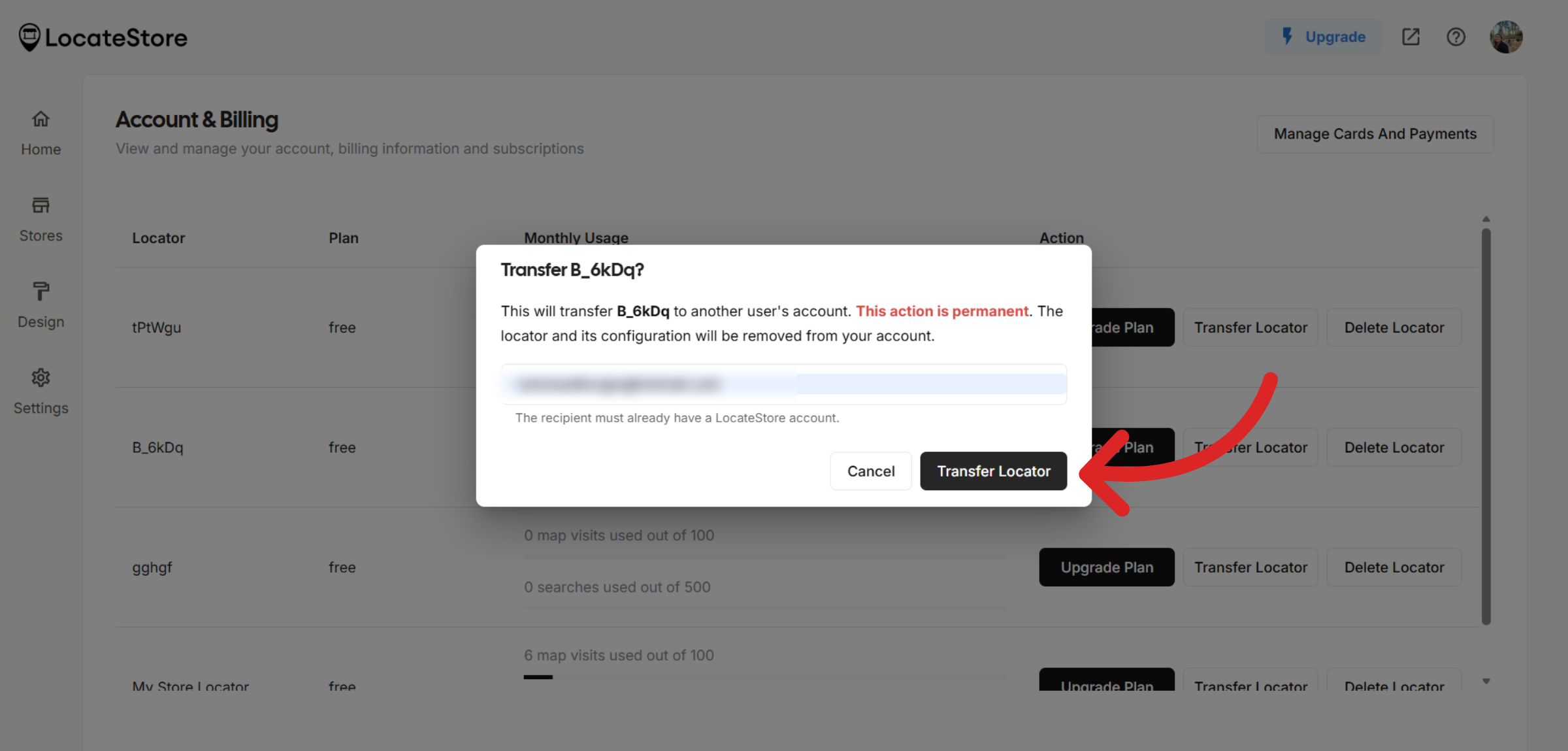
Enter the email address of the account you would like to transfer the store locator to. Click Transfer Locator to complete the process.
Note
To transfer a storelocator, first make sure it is in Free plan and then initiate the transfer process.
Was this article helpful?
Still need help?
Contact us