


Most retail dollars are still spent in a physical store; the customer nearby is where the money is. Local marketing is how you win that customer: showing up when locals search, keeping your business easy to find, and giving them a reason to choose your door. A store locator app is the tool that closes the last step, turning "I'm interested" into "I'm here" instead of losing the shopper to a competitor that is easier to reach. That gap costs local businesses foot traffic every day. Shoppers nearby are already researching, reading reviews, checking hours, asking for directions, and the business that answers fastest gets the visit.
This guide explains what local marketing is, why it matters, the ideas and strategies that work, and how a store locator supports it all, including LocateStore's Google Sheets setup, updated with zero coding. Short, straight answers sit in the FAQs.
Table of contents
- What is local marketing?
- The importance of local marketing
- Local marketing ideas that work
- Seven local marketing strategies
- What is a store locator?
- Local marketing vs store locator: what's the difference?
- How a store locator app supports local marketing
- How to use a store locator in your local marketing strategy
- Benefits of using a store locator for local marketing
- Frequently asked questions
- Conclusion
What is local marketing?
Local marketing (sometimes called neighborhood marketing) is the process of attracting customers who live, work, or travel within a specific area and guiding them toward your physical store. The goal is simple: turn someone nearby into someone who walks through your door.
Local marketing happens both online and offline. Online, it means showing up when locals search for what you sell, keeping your business listed accurately, and collecting reviews. Offline, it means events, sponsorships, and word of mouth in the community. Both channels point at the same target: the customer who is close enough to visit.
The importance of local marketing
Why does local marketing deserve your attention? Because the vast majority of retail sales still happen inside physical stores. The US Census Bureau reported that e-commerce made up just 17.1% of total US retail sales in Q2 2026; roughly 83 cents of every retail dollar is still spent in person.
Locals also research before they visit. BrightLocal's 2026 survey found that 97% of consumers read reviews for local businesses, and AI tools like ChatGPT now rank as the third most common source for local business recommendations. If your store is invisible to that research, you never get the visit.
There is a loyalty payoff too. According to Shopify's local marketing guide, 52% of global shoppers are more likely to buy from a company whose values match theirs, and a trusted local business is perfectly placed to earn that.
Local marketing ideas that work
- Keep your Google Business Profile complete and current. Hours, photos, and address. Wrong hours are the fastest way to lose a visit.
- Collect reviews and reply to them. With 97% of consumers reading reviews, a few honest ones can decide the visit.
- Use local keywords on your website. "Bakery in Portland" beats "bakery" when a nearby customer is searching.
- Join local Facebook groups and forums. More than 1.8 billion people use Facebook Groups monthly, and many use them to find local recommendations.
- Run a small local event or sponsor a school team. Visibility in the community builds the trust that ads cannot buy.
- Offer in-store pickup or a neighborhood-only promotion. Give nearby customers a reason to choose your door.
Seven local marketing strategies
1. Claim and complete your Google Business Profile
Hours, address, photos, categories, and services. A half-finished profile is worse than no profile, and wrong hours are the fastest way to lose a visit that was already decided.
2. Build a review engine
Ask for reviews consistently and reply to every one, positive or negative. With 97% of consumers reading reviews, a handful of honest ones can decide the visit. Slow or copy-pasted responses now read as a red flag rather than a courtesy.
3. Target local keywords
“Bakery in Portland” beats “bakery” when a nearby customer is searching. Work city and neighborhood names into your page titles, headings, and body copy, and build a dedicated page for each area you serve rather than one page listing all of them.
4. Keep your NAP consistent everywhere
Your name, address, and phone number should be identical on your website, your Google Business Profile, directory listings, and social profiles. Inconsistent details make it harder for search engines and AI assistants to confirm you are one real business rather than several half-matching records.
5. Make yourself visible to AI assistants
AI tools pull from review sites, directories, and web content rather than from one source. A business that exists only inside its Google Business Profile has very little for them to work with. Clear, consistent, crawlable information about your locations gives them something to cite.
6. Run radius-targeted ads
Most ad platforms let you draw a radius around each store. For a business whose customers arrive on foot or by a short drive, spending outside that radius is spending on people who will never visit.
7. Show up in the community offline
Sponsor a school team, host a small event, partner with the shop next door, or run a promotion only locals can use. Community visibility builds the kind of trust that ads cannot buy, and it tends to generate the reviews and word of mouth that feed everything above.
What is a store locator?
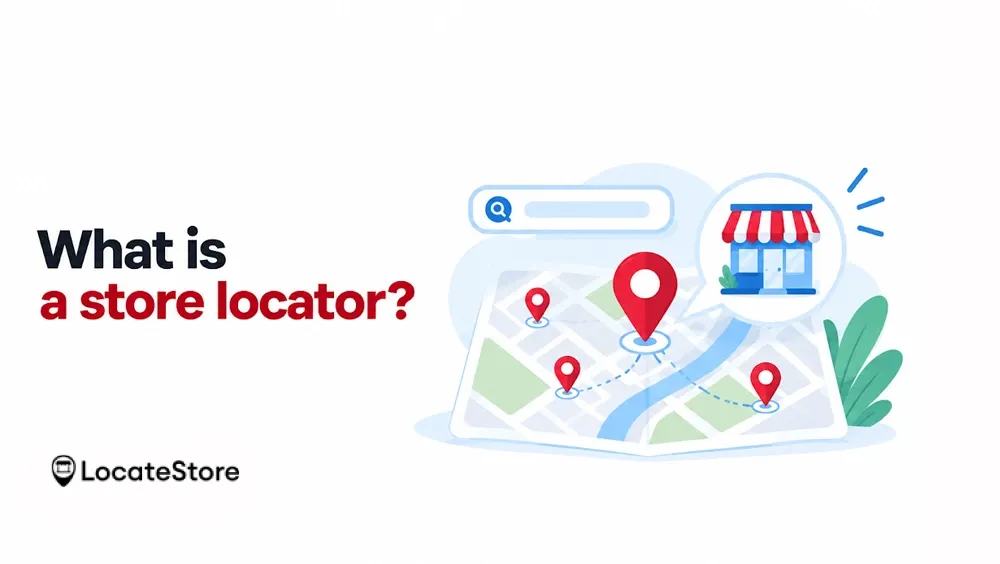
A store locator is an interactive map on your website that shows customers where your stores are. Visitors search by name, city, or zip code, filter results, and get directions to the nearest location.
LocateStore builds store locators on top of Google Sheets. One row in your spreadsheet equals one store location, so you update addresses, hours, or new branches by editing the sheet no coding, no developer ticket. The map itself runs on Mapbox (not Google Maps), and each location links out to Google Maps for turn-by-turn directions.
A store locator app like this can be embedded in WordPress, Shopify, Squarespace, Wix, Webflow, and most other website builders. You can easily add a Wix Store Locator to your website without complex coding. LocateStore's free plan includes unlimited locations, and 5,000+ businesses worldwide use it. You can see it live on the demo page.
Local marketing vs store locator: what's the difference?
Local marketing and a store locator are not rivals; they work at different stages of the same journey. Local marketing is the strategy; the store locator is the tool that carries it through to a visit.
Think of local marketing as the invitation and the store locator as the directions. Marketing without a locator leaves customers guessing; a locator without marketing sits unused.
How a store locator app supports local marketing
A store locator app does more than draw dots on a map. Here is how it supports your local marketing at every step of the customer's journey:
It shortens the path to a visit
The shorter the distance between "I want this" and "I'm here," the more likely the sale. When a customer searches your locator and sees your store two miles away, one tap opens directions, and they are on their way. Without it, they switch to a competing map and your competitor's door is just as close. Every second of friction you remove is a visit you keep.
It keeps information accurate
Wrong hours or a stale address is the fastest way to lose a customer's trust and a real-world trip. A store locator gives you one place to control hours, addresses, notes, and temporary changes like holiday closures or new branches. Because LocateStore reads from a Google Sheet, the update is instant: edit a row, save, and every visitor sees the corrected information.
It captures intent
Every search on your store locator is a person actively looking for you. That makes the locator a quiet source of customer data: which cities search most, which branches get the most requests, and which products people filter for. Over time, that tells you where to open, where to advertise, and what to stock.
It supports local SEO
A consistent name, address, and phone number across your site, plus an embedded map, are the basic signals search engines use to confirm you are a real local business. An up-to-date locator keeps that information consistent automatically, so your local ranking signals stay clean without manual upkeep.
It works on every device
Most local searches happen on a phone, often from a moving car or a sidewalk. LocateStore's map is fully mobile-friendly, so the nearest-store view, filters, and directions all work on a small screen, no pinch-zooming through a desktop layout. On desktop, the same embed looks just as polished.
How to use a store locator in your local marketing strategy
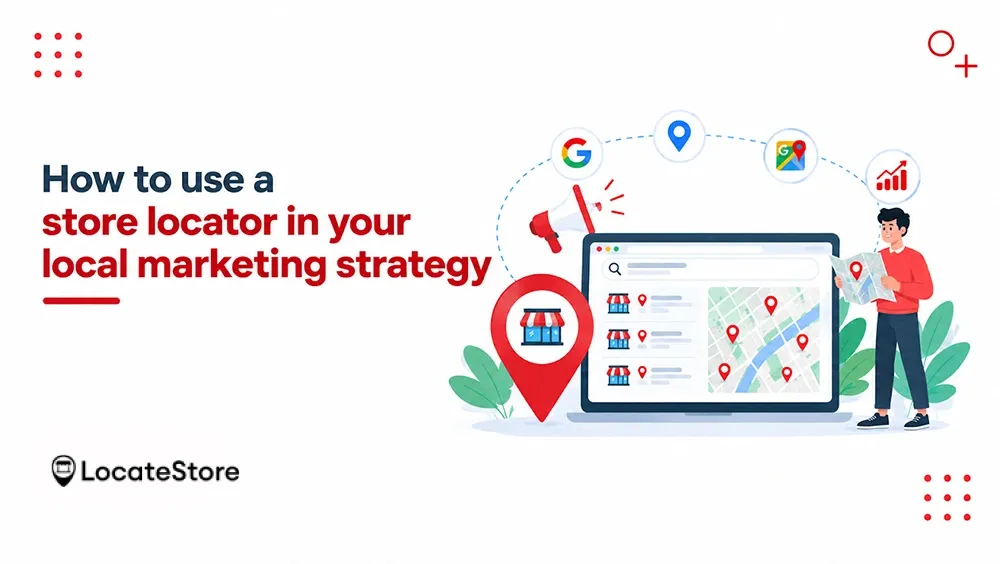
Installing a locator is the easy part. Getting value from it means wiring it into the rest of your local marketing.
Point each Google Business Profile at its own location page. It is tempting to link every profile to one network-wide locator, but that sends a customer who already found a specific branch back to a map of all of them. Link each profile to the page for that location, and link the locator from there for anyone who wants to compare branches.
Put a “Find a store” call to action where people already are. Product pages especially: a customer reading about a product is already interested, and that is the moment to show them where they can pick it up today rather than wait for shipping. Contact page and footer too. If someone has to hunt for the locator, they will open a mapping app instead.
Build location pages for the areas you serve. A locator map is a tool for customers who are already on your site. Text pages for each city or neighborhood, with a real address, hours, and locally relevant content, are what earn local search visibility. Use both: the pages bring people in, the locator helps them pick a branch.
Use your top searches to guide spend. If a city keeps appearing in your locator searches and you have no store there, that is a demand signal. If a branch never appears, it may need its own local push.
Keep the sheet current, not occasional. Holiday hours, temporary closures, and new branches should hit the sheet the day you know about them. The locator is only as trustworthy as the last time somebody updated it.
Benefits of using a store locator for local marketing
The payoff of pairing local marketing with a store locator shows up across the whole business:
More foot traffic
Every accurate direction you send is a visit that might otherwise go to a competitor. When a nearby customer finds your store in seconds, with correct hours and a route, they stop researching and start driving. That is the entire point of local marketing: turning local awareness into in-person sales.
Better customer experience
Shoppers get the full answer in one place: which branch is nearest, what hours it keeps, and how to get there without leaving your website. No toggling between tabs, no calling to check whether a branch is open. The fewer steps between question and answer, the more confident the customer feels walking in.
Zero coding, instant updates
The Google Sheets backbone is the standout feature. One row equals one store location, so opening a new branch, changing holiday hours, or fixing a typo in an address is a spreadsheet edit, not a developer ticket. Your team can maintain the map without touching code, and changes go live the moment the sheet is saved.
Unlimited locations on every plan
Retail chains grow, and a locator should never be the reason a branch is missing from your site. Every LocateStore plan, including the free one, supports unlimited locations, so you never leave a store out because of a plan limit. Add a new branch to the sheet, and it appears on the map.
No map API fees
Map integrations usually come with API keys, usage limits, and surprise invoices. LocateStore handles the Mapbox integration on its side, so you get a searchable, mobile-friendly map without the cost and complexity of managing the mapping service yourself.
Share and embed anywhere
A brandable link or a simple embed works in WordPress, Shopify, Squarespace, Wix, Webflow, and most other website builders. Put the locator on your contact page, your product pages, or a standalone "Find a store" page wherever your customers are most likely to need it.
Pricing starts at free, with paid plans from $24 per month for higher traffic, all with a 30-day money-back guarantee. See the pricing page for details.
How LocateStore works
The setup is a spreadsheet. Add one row per location with the address, hours, and any details you want shown, then embed the map. Adding a branch means adding a row.
From there, Smart Search lets customers find stores by name, city, or zip code, and category filters let them narrow by what they need. You can upload an image for each location, choose a custom map pin and map style, and adjust fonts, colors, and border radius to match your site. If you would rather not embed the map inline, there is a standalone widget with a floating button and a shareable locator page you can link to directly. Multi-language support is included for businesses serving more than one market.
Plans are based on monthly visits and searches, starting with a free forever plan and running from $24 per month for higher traffic, with a 30-day money-back guarantee.
Conclusion
Local marketing matters because most retail dollars are still spent in person. Customers near your store are searching, reading reviews, and asking AI assistants for recommendations, and the businesses that show up with accurate, consistent information win the visit.
A store locator is the piece that closes the loop. Local marketing makes you visible; the locator turns that visibility into a direction request, and the direction request into foot traffic. Together they cover the whole journey from "is there a store near me?" to "I'm here."
That is exactly what LocateStore was built for: a Google Sheet as your source of truth, a Mapbox map your customers can search, and no code anywhere in between. Add your locations on the free plan, embed the map on your site, and let every local search end at your door.
Frequently asked questions
How does a store locator help local businesses?
It turns local interest into visits. When someone searches for a product or service nearby, the locator shows your nearest store, its hours, and directions. That removes friction: no guessing, no wrong branch, no wasted trip, which builds trust and drives foot traffic.
Is local marketing the same as local SEO?
No. Local SEO is one part of local marketing the search-focused part that covers rankings, listings, and reviews. Local marketing is the wider umbrella: local SEO plus events, ads, community involvement, and loyalty. A store locator serves both by keeping location data consistent and customers informed.
How can a store locator help customers find nearby stores?
Customers search by name, city, or zip code, and the map instantly shows the nearest locations with filters for what they need. Each store links out to Google Maps for directions, and everything works on mobile, so a customer on the go can reach you in a few taps.
What is the connection between local search and store locators?
They complete each other. Local search is how customers discover that you exist the moment they find you in results, reviews, or an AI answer. The store locator is what they land on to choose which branch to visit and how to get there. Local search sends the visitor; the store locator delivers them to your door.