


Businesses with multiple locations, such as retail chains, franchises, dealerships, clinics, salons, and service providers, need an easy way for customers to find nearby locations. While a simple map can display an address, it may not provide the functionality needed to support business growth.
A Squarespace store locator offers advanced features such as location search, filters, driving directions, and multi-location management. It can improve local visibility, increase in-store visits, and make it easier for customers to find the products or services they need.
In this guide, we'll compare the Squarespace Store locator widget and simple maps, explain the key differences between them, and help you determine which option is best for your business.
Here is what we will discuss in this guide:
- What is Squarespace's store locator?
- What is a simple map?
- Key differences between the two
- Why is a store locator better than map tools for growing businesses
- How businesses can benefit from using Locatestore
What is a Squarespace Store Locator?
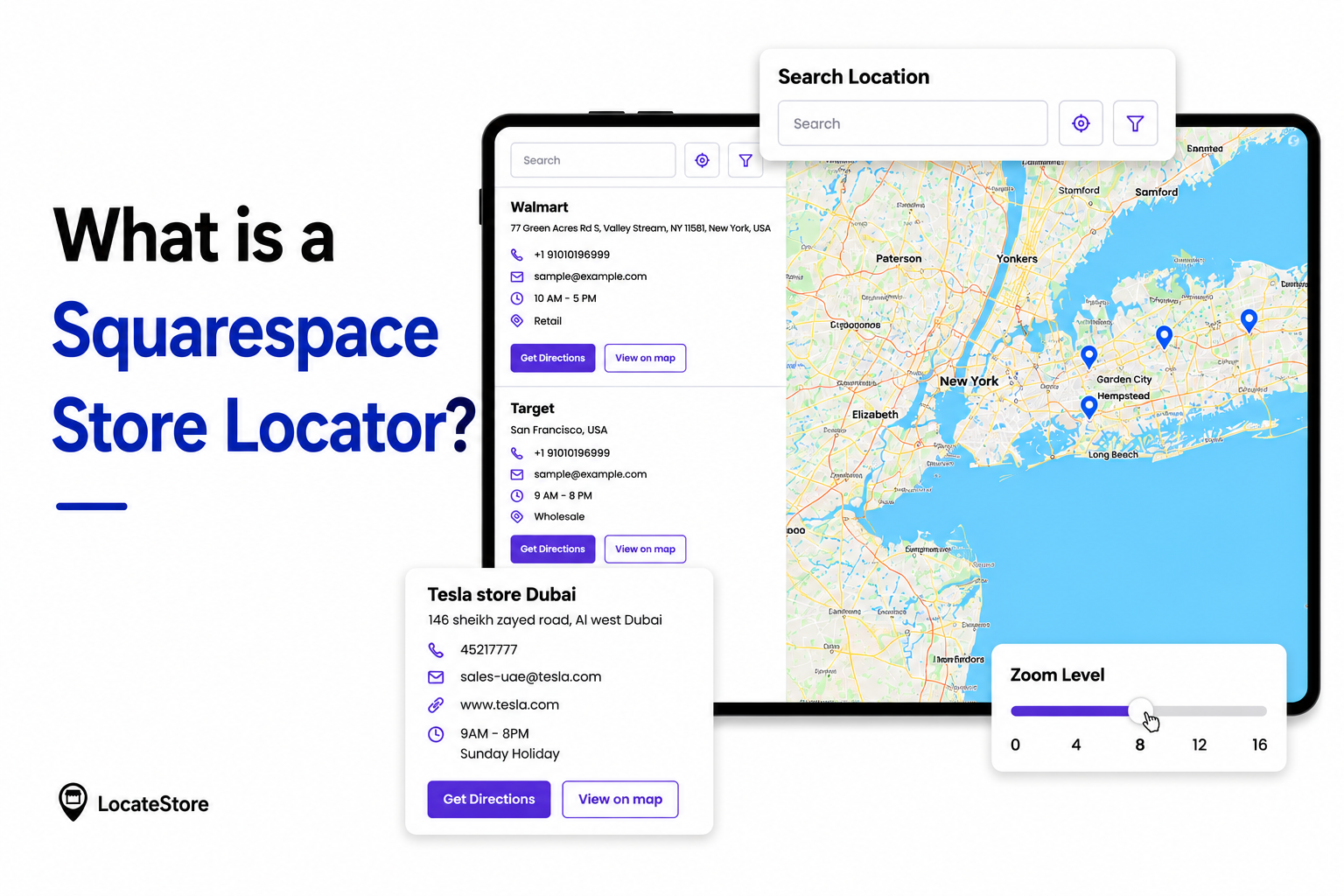
A Squarespace store locator is a software tool incorporated in a Squarespace website that enables customers to find outlets, branches, offices, clinics, service centers, or dealers close to them. How Store locators work in Squarespace is by integrating location-based search and map functionality directly into the website experience.
A store locator usually has these features, which a static map does not include:
- Search using ZIP code, radius, distance, or city
- Interactive filters
- Support for multiple locations
- Detailed information on the location, like address and contact number
- Working hours
- Driving directions
- Responsive interface
- Optimized for local visibility
- Category-based searches
If your business has a number of branches or service areas, then you certainly need a store locator to attract more walk-ins and deliver a better customer experience.
If you want a store locator that can be easily integrated with Squarespace, then Locatestore is ideal as it is specially designed for small businesses: a lightweight, no-code, easy-to-manage solution.
What is a Simple Map?
Before we get into the details of what a store locator is, let us take a look at what a simple map is. It is just a basic map embedded on a web with mapping services like these:
- Google Maps embed
- Static location maps
- Simple iframe maps
- Single-location pins
A simple map typically:
- Shows one or more fixed pins
- Displays an address for the business
- Provides basic navigation
- Permits minimal customization
If your business has just one physical location, a simple map could suffice at first. But as you grow and add more stores, dealers, branches, or distributors, it is unlikely that you will get the desired results.
Squarespace Store Locator vs Simple Map Difference
It is important that you understand the Squarespace store locator vs simple map difference as it will empower you to make the right decision for your business growth.
A simple map only does the function of informing shoppers where your business can be found. However, a store locator like Locatestore actively assists them in finding the store that is not just nearest to them, but the most relevant, like the one that has the products or services they are seeking.
Why a Store Locator is Better Than a Map
It is essential to understand how customer behavior has shifted. The modern customer is discerning and low on patience. They want services and experiences that are speedy and tailored to their preferences. Location is very important as they don’t want to commute.
These are the reasons why the store locator is better than map solutions.
Enhanced User Experience
Customers with purchase intent want to
- Search for stores nearby
- Filter by services
- Verify working business hours
- Get driving directions immediately
With a store locator, you get all of these features in a single interface.
If you use a simple map, your potential customers may have to zoom manually and search externally. This can be cumbersome and confusing, and they are likely to go to a site that offers simpler options.
Improves Local SEO
With an efficient store locator, your business can expect to rank high for local searches. Some examples could be:
- “Salon near me”
- “Best home improvement store in Austin”
- “Starbucks in Chicago”
The efficient locator tools build individual location pages that can be indexed by search engines, increasing visibility across cities, counties, etc.
Encourages Store Visits
Probably the biggest advantage of a locator is that it helps drive more foot traffic or walk-ins to physical stores, where the chances of converting them into actual customers are much higher. When customers are able to find a store that is close to them, if they have the intention to buy, they are quite likely to actually visit.
These features in store locators help eliminate friction and frustration in the buyer journey:
- Click-to-call
- Driving directions
- Distance calculation
- Mobile navigation
If you ever wondered which option helps convert online visitors into store visits, you’ve got your answer now: it is almost universally a store locator.
Simplified Multi-Location Management
If your business has scaled and you have 30-40 branches or centers, a static map will not allow you to manage those many locations efficiently.
With modern locator platforms, you can now do:
- Updates in bulk
- Spreadsheet-based management
- Collaboration among various team members
- Real-time editing.
Better Mobile Experience
Searching for local businesses mostly happens on mobile devices by people on the go.
A good store locator:
- Loads quickly
- Has a responsive layout
- Includes tap-to-navigate functionality
- Supports location-based searches
Additionally, simple embedded maps can feel bulky on mobile screens.
Why Do Many Businesses Prefer Locatestore?
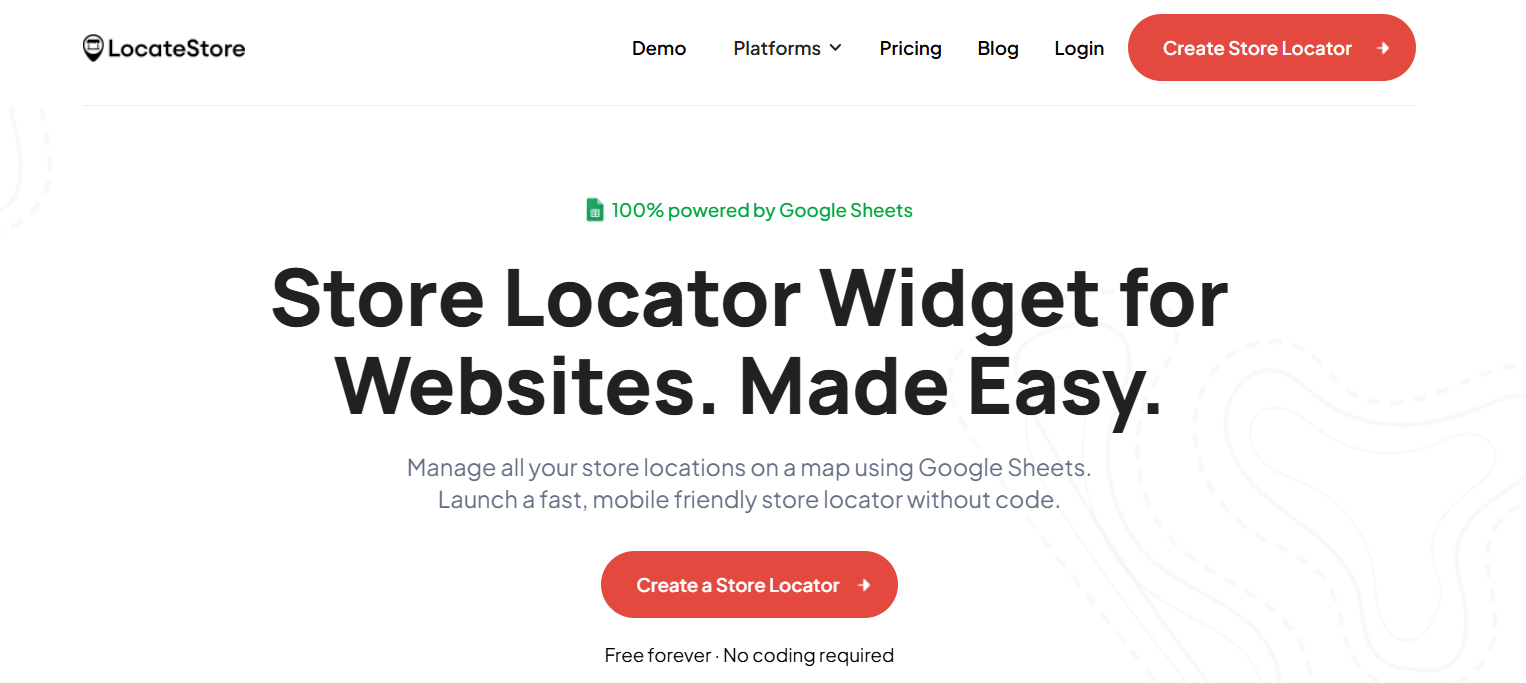
While numerous options are available for businesses, Locatestore is becoming increasingly popular today, especially for small businesses. It is simple, economical, flexible, customizable, and scalable. Locatestore offers integration options for Squarespace and other website platforms.
Built on Google Sheets
Locatestore is built on Google Sheets, offering advantages like:
- Simple updates: all locations can be managed from spreadsheets, without complex dashboards
- Real-Time Syncing: any changes made in Google Sheets reflect instantly in the website, including address, contact details, working hours, and new locations, reducing manual updates
- Team Collaboration: Several team members can work on the sheet simultaneously to manage store information, making it the best choice for franchise teams, regional managers, and marketing departments.
- Bulk Management: You can add any number of locations simply by importing via spreadsheets, eliminating manual work and speeding up edits.
Powered by Mapbox: Why It Matters
Mapbox powers navigation in Locatestore, providing a number of advantages over conventional map platforms.
- Faster Performance: fast-loading maps deliver a great user experience regardless of the device used, reducing bounce rates
- Better Customization: maintain consistency by choosing the fonts, colors, map styles, map pins, and more that align with your brand.
- Improved Scalability: Mapbox can handle any number of locations as large datasets are its speciality, providing reliable performance.
- Modern User Experience: customers can zoom smoothly, get cleaner visuals, have enhanced mobile interactions, and experience advanced location rendering, getting an engaging and professional experience.
Best Squarespace Store Locator Features to Look For
When you are seeking the best Squarespace store locator, these are the features you need to check for:
- Search Functionality: customers should be able to search by distance, radius, ZIP code, city, state, and store
- Mobile Optimization: the tool must work smoothly on mobile devices as well as on computers
- Easy Data Management: Avoid locators that require complex technical skills and look for spreadsheet integration for quicker and simpler management
- SEO Support: It is imperative that location pages help to boost local search rankings and visibility
- Custom Branding: You should be able to ensure that the location pages project consistent branding in terms of colors, fonts, etc.
- Fast Loading Speed: fast performance impresses not just customers but search engines as well.
- Scalable Architecture: the tool should be capable of scaling seamlessly as you add more stores without major overhauling.
Who Should Use a Store Locator?
A store locator is valuable for many industries, including:
- Retail stores
- Franchises
- Fitness centers
- Healthcare clinics
- Automotive dealerships
- Restaurants
- Beauty salons
- Service providers
- Real estate offices
- Distribution networks
Even if you have just 4-5 outlets, you can get the benefits of offering enhanced navigation and increased local discovery.
When Is a Simple Map Enough?
A simple map may suffice in these situations:
- You have a single location
- You have no growth plans
- You just want to display the address
- You’re not prioritizing local SEO
How a Store Locator Supports Business Growth
An efficient store locator can increase:
- organic foot traffic
- Lead generation
- Customer trust
- Local search visibility and SEO
- Customer retention
Also Read: How to add a Store Locator in Squarespace
Conclusion
The Squarespace store locator vs simple map difference boils down to functionality, scalability, and customer experience.
A simple map shows customers your address. A modern store locator actively helps shoppers find your stores and get to them easily and quickly.
Platforms like Locatestore give businesses an edge as they are built on Google Sheets for simplified setup and management, and are powered by Mapbox for better performance, scalability, and customization.
Customer expectations are ever evolving, and it makes good sense to invest in the Best Squarespace store locator for business growth.
FAQs
What are the limitations of using a simple map on Squarespace?
A simple map normally does not offer advanced search functionality, filters, SEO support, bulk management, and scalable multi-location capabilities. While such maps may be adequate for single-location businesses, they can be restrictive if you’re on the growth track.
Which option helps convert online visitors into store visits?
A store locator is one of the best options to convert online visitors as it is engaging, allows shoppers to filter, navigate to the store, and offers more clarity and convenience.
How do I create a locator map?
Using Locatestore, you can easily create a locator map for your business. You simply upload location data in a spreadsheet, customize the design as per your requirement, and embed the locator tool in your website.
What is the best store locator tool for Squarespace?
The ideal tool for your business is one that helps you meet your goals. Locatestore is simple, powerful, affordable, customizable, and flexible, making it one of the top options.