


A business that provides a smooth location-finding experience can definitely experience higher conversions and revenues, and deliver heightened customer satisfaction. Advanced Dealer Locator Software is the most efficient way to achieve these goals, as can be evidenced by the increased adoption of this tool by businesses. They help drive more foot traffic organically and boost local discovery of the outlet or store.
Modern locator tools are quite powerful and offer a lot more functionality than mere display of pins on a map. People browsing online can search for products and services they need by distance, radius, ZIP code, city, or even stock availability. By enabling this, store and dealer locator software improves local SEO and promotes customer engagement. Savvy businesses in the US are increasingly turning to effective locator tools to deliver personalized marketing messaging and offers, and shopping experiences to customers.
Several studies have shown that over 75% of consumers do an online search first, and then go to an actual store. About 76% of the people who perform this search tend to visit a business within 24 hours, which shows a high intent to purchase.
This is definitely a must-have tool for businesses with multiple outlets, whether retail, e-commerce, restaurant chains, boutiques, distributors, or similar businesses.
LocateStore is one such software that speeds up this process. Built entirely on Google Sheets, it offers simplified store management, in-depth customization, and powerful navigation that is powered by Mapbox. It is highly scalable, promotes collaboration, offers real-time updates, and is priced competitively.
Table of Contents
- What Is a Store Locator?
- Why Dealer Locator Software Matters
- Why are Mapping and Location Services Important for eCommerce?
- Keys To Building Custom Store Locators
- How to Build a Store Locator
- Store Locator Examples Across Industries
- Common Mistakes to Avoid
- The Future of Custom Store Locators
- Why LocateStore Is a Smart Choice
- FAQ
What Is a Store Locator?
To put it simply, a store locator is a tool that allows shoppers to find stores close to their locations or wherever they want to find them. Store locators normally include the following:
- Interactive maps
- Driving directions
- Contact information
- Business hours
- Product availability
- Additional information, such as special offers or services
- Dealer information
- Service center locations
An effective locator tool helps reduce customer frustration and helps businesses increase foot traffic in stores, along with revenues.
Why Does Dealer Locator Software Matter?
Unfortunately, many businesses continue to use outdated static pages to display locations that are not engaging or informative. Customers have very high expectations today. Modern dealer locator systems provide enhanced customer experience, boost local SEO and visibility, are responsive, and help mobile customers. They also push up conversion rates and help in building customer trust.
If you are a brand with multiple franchises or branches across the US, a dealer or store locator is imperative.
Think with Google conducted a survey, and it revealed that searches with the “near me” phrase have exponentially grown over the past 3-4 years. Shoppers want to see results instantly. If your business provides the information they need, you gain a massive edge over your competitors.
Why are Mapping and Location Services Important for eCommerce?
Location tools benefit not just businesses with physical locations, but also those that are online-first brands. Even though we live in a world that is increasingly shrinking thanks to digitization, a good number of customers still want to have physical demos, see and touch a product, and prefer to pick up their products at stores. They also prefer to have support from local dealers rather than online or call centers.
Benefits of Mapping and Location Services
The store locator software businesses use today also provide:
- Real-time navigation and driving directions
- Distance calculations
- Location filtering
- Geographic targeting
As LocateStore uses Mapbox instead of Google Maps, you can enjoy greater flexibility and customization. You also don’t have to worry about the software keeping up as your business grows, as it is highly scalable.
Keys To Building Custom Store Locators
Your business is unique, like every other business, with its own set of goals, needs, and problems. This is why a Custom Store Locator is a smart choice instead of a generic one. Make sure these elements are included in your store locator:
Quick Search
Users should be able to quickly search by:
- Nearness (distance)
- Radius
- ZIP code
- City
- State
- Product category
- Stock availability
- Dealer type
The faster you can deliver results, the greater will be the customer satisfaction.
Mobile-Friendly Design
With over 60% of local searches taking place on Smartphones and tablets, you must ensure that your design is responsive. The locator tool must deliver seamless experiences regardless of the device.
Accurate Location Data
Customers tend to move away if you provide incomplete or incorrect information about your business. Which is why it is important that your locator displays the correct address, hours of operation, contact information, and driving directions at all times.
As LocateStore is fully integrated with Google Sheets, updating store information is super quick and easy. You can directly update information from a spreadsheet; there is zero coding involved.
Advanced Filtering
Customers who are serious about buying a product desire exact, specific results so that they have a smooth purchase experience.
Here are some filters that can help:
- Open now
- Wheelchair accessible
- Product availability
- BOPIS
- Authorized dealers
- Special offers
- Pickup locations
SEO Optimization
A store or dealer locator should be capable of supporting local SEO strategies, like location-specific pages, schema markup, quick loading, and optimized metadata. When you optimize your locator pages, you can be sure to attract a great deal of traffic without any ad spending.
Interactive Maps
When maps are interactive, they are more usable and engaging. LocateStore is powered by Mapbox, and its interface enables smooth navigation. It delivers blazing fast performance, can be customized at length, and is highly scalable to boot.
How Do You Build a Store Locator?
Many businesses worry that adding a store locator will be an additional burden, and are unsure about creating an effective tool.
The reality, however, is that it is very simple.
Step 1: Organize Store Data
Create a database with:
- Store names
- Addresses
- Coordinates
- Contact details
- Business hours
Thanks to Google Sheets integration, the process is simple and straightforward with LocateStore.
Step 2: Choose the Right Mapping Platform
The mapping platform you choose is very important. With Mapbox, you get these benefits:
- Greater flexibility with design
- Less dependency on the Google ecosystem
- Highly scalable and customizable
Step 3: Add Search and Filters
It is essential that the search is simple, fast, and user-friendly. Including things like the following can help:
- Location-based search
- Radius filters
- Category filters
Step 4: Optimize for Mobile
In this age of high mobile penetration, responsive design is of the essence, along with fast loading.
Step 5: Improve SEO
Make sure that each location page has
- Unique content
- Appropriate headings
- Meta descriptions
- Keywords that boost local SEO
Step 6: Track Analytics
It is important to measure:
- Search patterns
- Popular locations
- Click-through rates
- User engagement
Store Locator Examples Across Industries
Retail Chains
To help customers find stores near them stocking their desired products, retail brands use locators.
Automotive Dealers
Car manufacturers leverage dealer locator systems to help customers connect with local showrooms and service centers.
Healthcare Providers
Hospitals and clinics use location software to simplify bookings and appointments.
Food Franchises
Branches, outlets, and delivery zones of restaurant chains can be accessed by customers easily with this software.
Electronics Brands
Electronics stores can direct customers to authorized dealers and repair centers.
The Future of Custom Store Locators
Store locator technology is evolving in a huge way, and businesses are choosing tools capable of delivering smart, targeted, and personalized experiences to customers.
AI-Powered Recommendations
It is likely that in the future, locator suggestions could be based on elements like:
- User choices
- Purchase history
- Real-time inventory
Voice Search Optimization
Locator tools have to adapt rapidly, as voice-based searches like “find a dealer near me” are being used more and more.
Real-Time Inventory Integration
To avoid disappointment and frustration of visiting a store and not finding their desired products, customers demand to know product availability at specific stores.
Hyper-Personalized Experiences
It’s possible that in the future, systems may provide
- Customized offers
- Local promotions
- Targeting customers based on behavior patterns
Smarter Map Experiences
You should consider investing in scalable dealer and store locator tools early on, as interactive map technologies like LocateStore will continue to evolve and improve navigation.
Why Is LocateStore a Smart Choice?
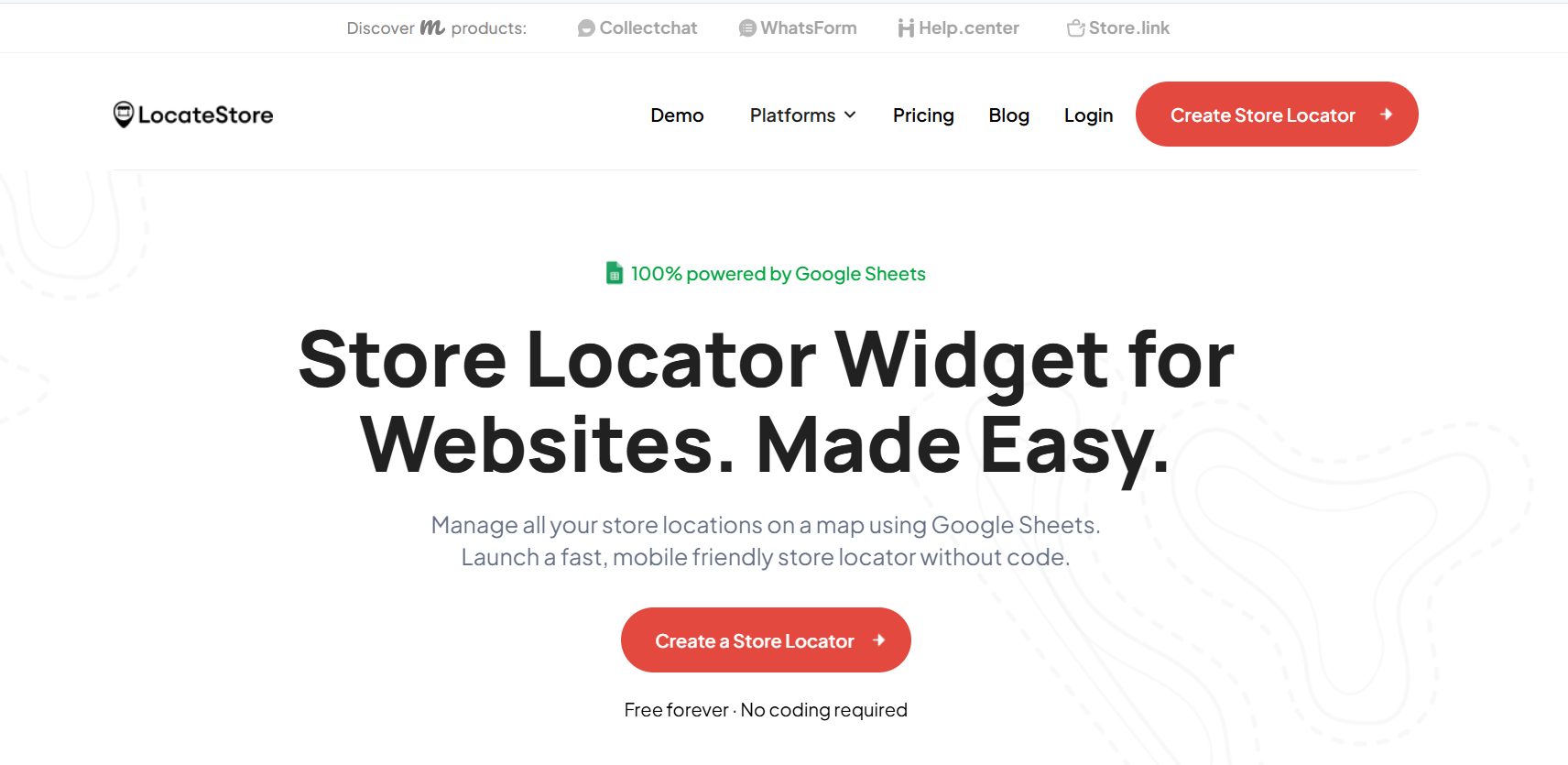
LocateStore offers a number of benefits:
- Built on Google Sheets, it allows easy updates of information, real-time collaboration, and simplified, no-code management.
- Thanks to Mapbox navigation, you can customize maps thoroughly, styling them to match your branding, delivering a modern and engaging experience to customers.
- It can be easily integrated into your website
- LocateStore is designed to be SEO friendly, especially for location-based optimization.
Also Read: How To Make Your Own Map With A Store Locator?
Conclusion
Installing a store locator on your website is a necessity today as an integral part of location-based SEO, customer experience, and omnichannel retail marketing.
Fast search, responsive design, location-based optimization, accurate data, and interactive maps are the top features in the most effective locator systems.
If you want to convert more walk-ins to customers, boost store visits organically, and provide enhanced customer experiences, you must integrate locator software into your website.
FAQs
What is the best custom store locator?
This depends completely on your unique business needs. With Mapbox-powered fast performance and customization, Google Sheets integration, SEO-friendly features, and scalability, LocateStore is a strong choice.
What is the purpose of a locator?
A locator helps your customers to find the closest outlets, stores, dealers, service centers, or franchise locations without hassles.
What are the limitations of using a locator?
Some locators can have outdated data, slow loading speeds, limited customization, or poor mobile responsiveness if they are not updated and optimized.
Why is a custom store locator important for websites?
A custom store locator provides a better customer experience, supports local SEO, increases in-store visits, and helps businesses deliver accurate location information based on their brand and customer behavior patterns.