


When someone lands on your website looking for a store, they usually want one thing fast. They want to know where your nearest location is, whether it is open, and how to get there. If they cannot find that in a few seconds, they leave.
That is why a good store locator is not just a nice extra for multi-location businesses. It is part of the buying journey. It helps customers find the right store quickly, reduces friction, and can turn local search traffic into real store visits.
In this guide, we look at the most important store locator features, why they matter, and what to look for when choosing Store Locator Software.
What Is a Store Locator?
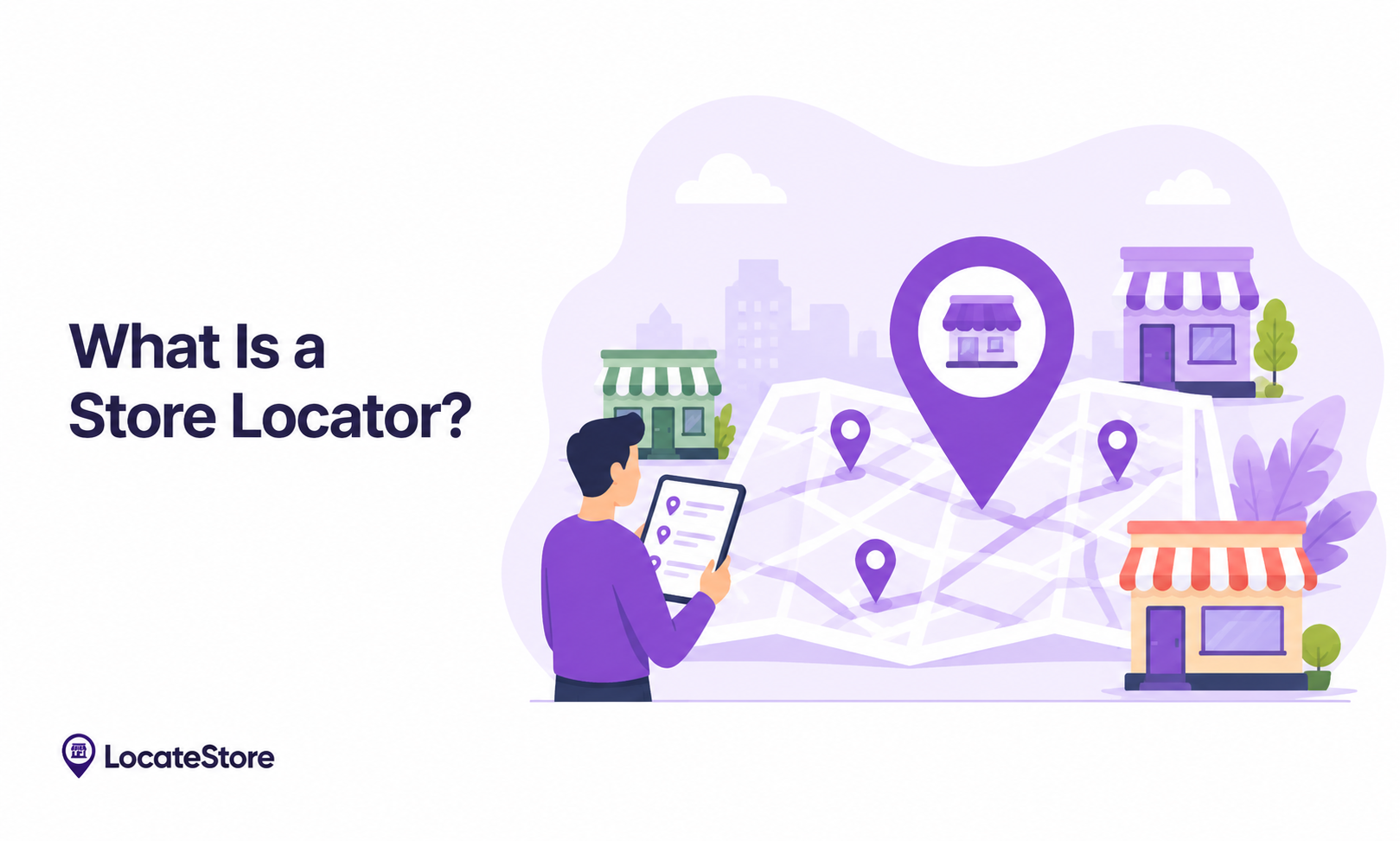
A store locator is a tool that helps customers find your store locations on a map. Users can search by city, ZIP code, address, or their current location to find nearby stores quickly. It also surfaces useful information such as directions, contact details, and opening hours.
Today, many customers research online before visiting a store. Adding a store locator to your website makes it easier for customers to find the right location and improves their overall experience. This is why store locators are now a standard feature for businesses with multiple locations.
How Does a Store Locator Work?
A store locator pulls location data from your database and matches it against the user's search input or detected position. The system then returns a ranked list of nearby stores, sorted by distance. Each result typically includes:
- Address
- Contact information
- Opening hours
- Distance from the user
- Directions
- Available services
Advanced solutions also provide inventory visibility and real-time updates so customers always see accurate information.
Why Store Locator Features Matter
People expect things to work quickly and without friction. Research from BrightLocal's Local Consumer Review Survey consistently shows that most consumers go online before choosing a nearby business. A well-designed store locator helps businesses:
- Increase foot traffic
- Improve customer satisfaction
- Boost local SEO visibility
- Drive higher conversion rates
- Reduce customer support inquiries
A store locator that is hard to use, slow to load, or inaccurate will cost you customers. When it works well, shoppers find what they need and show up.
10 Must-Have Store Locator Features
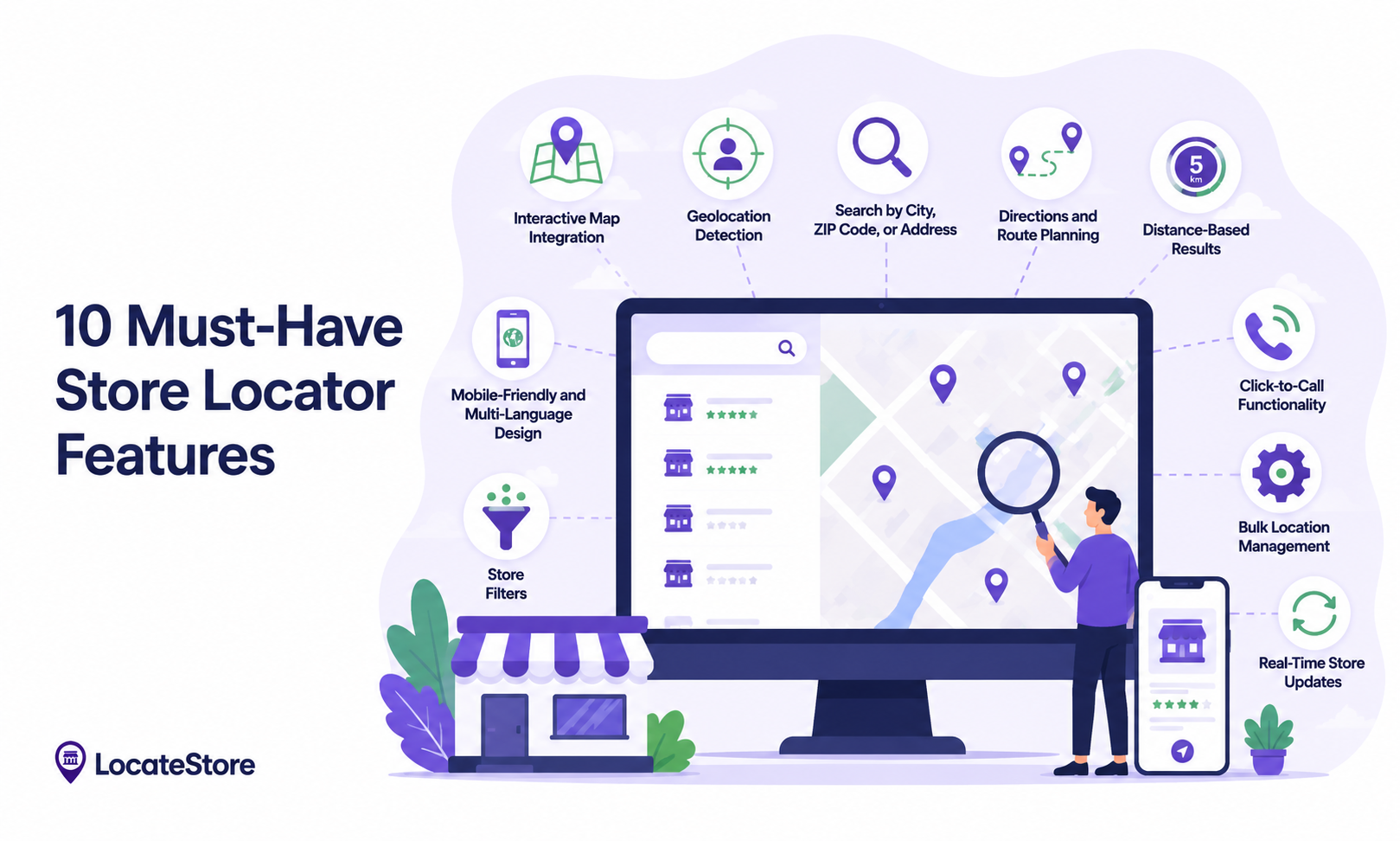
1. Interactive Map Integration
An interactive map is the foundation of any effective store locator. It gives customers an immediate visual sense of where your locations are and makes the search experience intuitive.
Unlike platforms that rely on Google Maps, Locatestore uses Mapbox technology, which offers more flexibility for customization and consistently fast load times. Key benefits include:
- Faster loading times
- Better map customization options
- Improved overall user experience
- Enhanced location accuracy
Interactive maps make it easier for customers to spot nearby locations at a glance, without having to read through a list of addresses.
2. Geolocation Detection
Geolocation lets the store locator detect where a user is and surface the nearest locations automatically, without requiring them to type an address. When a customer lands on your page, the system can request location access and immediately show relevant stores.
This is especially useful for mobile users who are already on the move. Key benefits include:
- Faster search process
- Improved convenience for the user
- Higher engagement rates
Removing the need to manually enter a location reduces drop-off and makes the experience feel effortless.
3. Search by City, ZIP Code, or Address
Not every user wants to share location access. Some prefer to type in a city name, ZIP code, or full address. Your store locator should support all of these search methods so customers can find stores in the way that feels natural to them.
Supporting multiple search inputs also matters for accessibility and for users on desktop, where automatic geolocation is less common. Do not force one search behavior when customers have different habits.
4. Directions and Route Planning
An address alone is not always enough. Customers want step-by-step directions from where they are to your store.
A good store locator should offer route planning and navigation support that integrates with maps the user already trusts (Google Maps, Apple Maps, or Waze). This removes friction from the final step of the customer journey and increases the likelihood of an in-store visit.
5. Distance-Based Results
Showing locations sorted by proximity is a basic but essential feature. When the nearest stores appear first, customers do not have to scroll through irrelevant results to find something actionable.
When a user enables location access, Locatestore automatically sorts results by distance so the closest stores appear first. Customers can see how far a store is before committing to a visit, which improves satisfaction and reduces wasted trips.
6. Mobile-Friendly and Multi-Language Design
Many location searches happen on phones. A store locator that looks and works great on desktop but is clunky on mobile will cost you a significant share of potential visits.
A mobile-optimized store locator should load quickly, fit any screen size, and be easy to tap through. Key requirements include:
- Fast load times on mobile connections
- Easy, thumb-friendly navigation
- Responsive layout across screen sizes
- Consistent experience on both smartphones and tablets
For businesses serving customers across different regions, multilingual support is equally important. When customers can access store information in their preferred language, they are more likely to engage and complete a visit. This matters especially for businesses with international locations or those operating in multilingual markets.
Without mobile optimization and language accessibility, businesses risk losing customers before they ever reach a store.
7. Store Filters
Customers are not always looking for the nearest store. Sometimes they need the nearest store that offers a specific service, product category, or other attribute.
Locatestore lets businesses add custom filter columns directly in Google Sheets. Add a column called "Services" or "Categories", populate it for each location, and it becomes a filterable option on the customer-facing store locator. Customers can then narrow results by whatever criteria matter to them.
This means a customer looking for a location that offers a specific service does not have to call around or visit the wrong store. They filter, find the right location, and show up prepared.
8. Click-to-Call Functionality
Before visiting a store, many customers have a quick question, such as whether a specific item is in stock, what the parking situation is, or whether a service is available that day. Click-to-call lets mobile users connect to the relevant store with a single tap, without having to copy a number or switch apps.
Key benefits include:
- Improved customer service
- Faster communication between the customer and the store
- Higher conversion rates for visit-ready customers
This feature matters most for mobile users who are already close to making a decision.
9. Bulk Location Management
Managing a large number of store locations manually is time-consuming and error-prone. Bulk location management gives businesses the ability to:
- Upload multiple locations at once
- Edit store information across many locations simultaneously
- Keep data consistent and up to date
One of Locatestore's standout capabilities is that it is built on top of Google Sheets. Businesses can manage all of their store data through a familiar spreadsheet workflow, without needing a complicated backend system or developer support. This makes updates fast and keeps the barrier to maintenance low.
10. Real-Time Store Updates
Store information changes. Hours shift during holidays, phone numbers get updated, and services change over time. A store locator with real-time updates ensures that customers always see accurate information, no matter when they visit.
Key benefits include:
- Reduced customer frustration from outdated information
- Improved trust in the brand
- Better operational efficiency across locations
Real-time updates also remove the risk of a customer showing up to a location that has changed its hours or is closed for the day.
What to Look for in Store Locator Software
If you are comparing tools, do not just ask whether the locator works. Ask whether it works well for both customers and your team.
Here are the most important things to evaluate:
- Ease of setup and ongoing management
- Map quality and customization
- Mobile experience
- Search flexibility (geolocation, ZIP, city, address)
- Bulk editing for multiple locations
- Real-time update capability
- Product or service filtering
- Design customization options
- Scalability as your location count grows
The best store locator software does two things well: it helps customers find stores faster, and it makes store data easier to manage behind the scenes.
Why Locatestore Stands Out
Locatestore works equally well as a store locator and as dealer locator software, making it a flexible solution for retail chains, franchise networks, and dealer ecosystems alike.
Locatestore was built with all of these in mind. Here is how it compares on the features that matter most:
What makes Locatestore particularly practical is its Google Sheets foundation. There is no complicated backend to learn, no developer needed for routine updates, and no steep learning curve for your team. If you can manage a spreadsheet, you can manage your store locations.
If you want a simple way to manage store locations without a complex backend, Locatestore is worth a look.
Also Read: What Is Location-Based Marketing and How Does a Store Locator Power It?
Choosing the Right Store Locator
A store locator helps customers find your locations, get directions, check opening hours, and access the information they need before making a visit. Features such as interactive maps, geolocation detection, store filters, mobile responsiveness, and real-time updates make that experience smooth and reliable.
For businesses, a well-implemented store locator improves local visibility, increases foot traffic, reduces support requests, and supports growth. Locatestore makes location management simple with Google Sheets integration, Mapbox-powered maps, real-time updates, and no-code customization.
Choosing a store locator with the right features is one of the clearest ways to improve the customer experience and make it easier for people to find your products and locations.
FAQs
What are the most important store locator features?
The most important features include interactive maps, geolocation, search by city or ZIP code, mobile-friendly design, directions, distance-based results, store filters, click-to-call, bulk location management, and real-time updates.
Can a store locator increase sales and ROI?
Yes. A well-built store locator makes it faster and easier for customers to find nearby locations, which leads to more in-store visits. When customers can confirm store details and get directions without friction, the likelihood of a completed purchase goes up. Businesses with multiple locations often see measurable improvements in local foot traffic after implementing a strong store locator.
How does Locatestore improve customer experience?
Locatestore uses Mapbox for fast, visually clean maps and detects a user's location automatically so they see relevant results right away. All location data is managed through Google Sheets, which means updates go live quickly without any technical setup. The result is an experience where customers find accurate store information fast, on any device.
How do I choose the right store locator solution?
Look for a solution that is easy to manage on an ongoing basis, works well on mobile, and keeps location data accurate in real time. Key features to prioritize include:
- Ease of location management
- Mapping technology quality
- Mobile responsiveness
- Real-time update capability
- Scalability as you add locations
- Product availability search
- Bulk location management
A solution like Locatestore combines all of these into a single, straightforward tool.
What are the main benefits of using a store locator?
The core benefits include:
- Increased store visits from customers who can easily find you
- Better customer experience through clear, accurate information
- Improved local SEO visibility
- Higher sales opportunities from customers who arrive prepared
- Fewer support inquiries about hours, locations, and directions
- Stronger brand trust through consistent, reliable information