
How to rank on Google Maps
If your Business Profile exists and is not performing, the fix is almost never “do more Google Maps optimization”. It is working out which of the three ranking inputs is failing - relevance, distance or prominence - and then accepting that one of them is largely fixed. Distance from the searcher is a top factor and you cannot move your shop.
This guide is the repair job. It assumes you already have a verified profile; if you do not, start with adding and claiming your business. It assumes you know how the three results are chosen; the map pack guide covers that. For the overall strategy, there is the Google Maps SEO pillar. What follows is diagnosis.
Diagnosing why you are not ranking
Before changing anything, find out what is actually broken. Most people skip this and spend three months on the wrong lever.
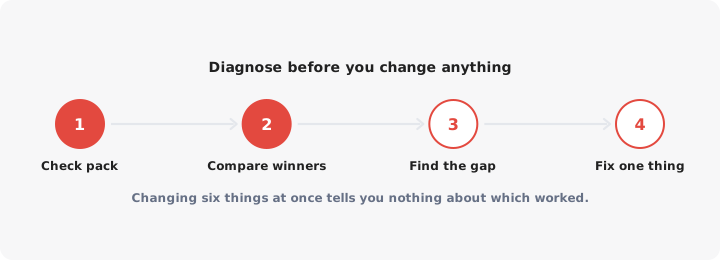
Step 1: confirm the profile is eligible at all. Open it while signed in as the owner. A suspended, unverified or duplicate-flagged profile does not rank, and no amount of photos will change that. If you see a reinstatement notice or your listing has quietly vanished from Maps while still appearing in your dashboard, stop here and fix that first.
Step 2: separate “not ranking” from “not ranking where I am standing”. Search results on Maps change with the searcher’s location, sometimes street by street. Searching from your office, on your own phone, signed into your own Google account, tells you very little. Search in a private window, and search from a few genuinely different points in your trading area - a customer’s address, the far side of town, the shopping centre two miles away.
What you are looking for is a pattern:
- Visible near the shop, invisible a mile out. Normal. Your radius is small. That is a prominence problem, and it is the slowest to fix.
- Invisible even next door. Something structural is wrong: category, verification status, a duplicate, or a penalty.
- Visible for your business name, invisible for what you sell. A relevance problem. Google does not think you are in the category being searched.
- Visible for some phrases, not others. Normal and partly fine. Decide which phrase you actually need.
Step 3: read your own Performance data. Open Performance and look at the searches that showed your business. This is where the diagnosis usually lands. If the terms are almost all your business name, you are being found by people who already know you. That is a discovery problem, and the rest of this guide is aimed at it.
Step 4: look at who is beating you, and why. For the search that matters most, compare the three businesses that rank with yours on what you can see: primary category, review count, review recency, and distance from the search point. Usually one gap is obvious. Often it is distance, and that is still a finding.
Category selection, the most underrated lever
Your primary category is the highest-leverage field on the entire profile, and it is the one most businesses set once during signup and never revisit.
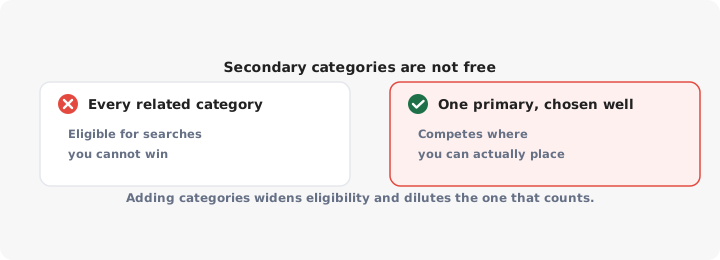
Google uses the primary category to decide which searches you are eligible for in the first place. If a search maps to “Dentist” and your primary category is “Medical clinic”, you are not competing badly. You are not competing.
How to choose the primary category properly:
- Write down the exact search you want to win. Not a theme - the words a customer types.
- Run that search from inside your trading area.
- Open the top three results and check their primary category. It is the first line under the business name on the profile.
- If all three share a category and you do not have it, that is your answer.
Do this per location if you have several. The competitive category can differ between a city centre and a suburb.
Secondary categories are not a free hit. The common advice is to add every category that could apply. That is the most consistently bad advice in this topic. Secondary categories can make you eligible for searches you have no chance of winning while muddying the signal for the one you could. A pizza place that also claims “restaurant”, “takeout”, “caterer”, “delivery service” and “sandwich shop” has not made itself more findable. Add one only when it describes a service you genuinely deliver and would be happy to take calls about.
Changing categories carries a small risk. Editing the primary category on an established profile can send it back for review, and in rare cases triggers re-verification. Change it when the evidence says to, not experimentally, and make one change at a time so you can tell what happened.
Proximity: what you can and cannot control
Distance between the searcher and your business is one of the strongest factors in local ranking, and it is the part of Google Maps optimization nobody can sell you. If a competitor is physically closer to the person searching, they will often rank above you no matter how good your profile is.
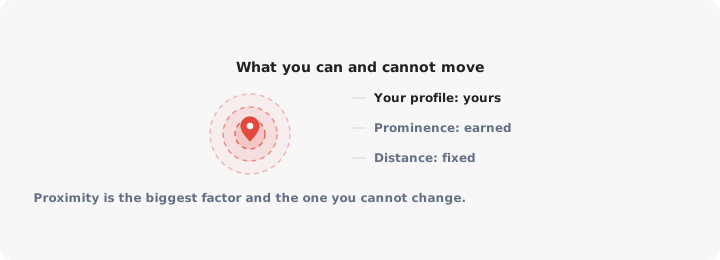
Be clear about what this means in practice. You cannot:
- Move your pin to a busier area. Faking an address is a suspension, not a tactic.
- Rank across an entire city from one small location.
- Out-optimise geography on short “near me” searches, where Google tightens the radius hard.
You can:
- Make sure your pin is accurate. Drag it to your actual entrance. An automatically placed pin that landed mid-block or on the wrong side of the road costs you walk-ins and sends drivers to the wrong door.
- Set your service area honestly if you travel to customers, and accept that service-area businesses do worse on tight local searches because there is no pin to be near.
- Widen your radius with prominence. A stronger, better-reviewed, better-linked business holds its ranking further out. That is the real mechanism behind every prominence tactic below: not beating distance, but stretching how far your distance advantage reaches.
- Compete for the right geography. If you serve six suburbs from one unit, your Maps profile will realistically win the nearest two. The other four are won on your own website - location pages, directions, a searchable list of where you operate - not in the map pack.
That last point is the one most articles avoid. Some ranking problems are not fixable on Google’s property, and the right response is to stop spending on them.
Prominence: citations, links, mentions
Prominence is how well known Google thinks your business is, and it is the slow, compounding part. It is also where most of the actual work lives once your category is right.
Reviews are the biggest practical input. Volume, rate and recency all matter: a profile that collected forty reviews two years ago looks less alive than one collecting two a month. Reviews also dominate the click decision once you do rank. See the Google reviews guide for how to ask without breaking Google’s rules.
Citations: consistency beats quantity. A citation is any mention of your name, address and phone number elsewhere - directories, industry bodies, chambers of commerce, your own site. You do not need hundreds. You need the handful that matter to be identical:
| Fix | Why it matters |
|---|---|
| One spelling of your business name everywhere | Conflicting names create duplicate-entity confusion |
| One address format, including suite or unit | Mismatched suites are a common verification and trust problem |
| One phone number, matching the profile | Tracking numbers scattered across directories split your identity |
| Old addresses removed after a move | Stale citations keep pointing Google at a place you left |
Buying a bulk citation package is mostly wasted money. Fixing the five listings customers and Google actually encounter is not.
Links and mentions from local sources. A link from the local paper, a supplier, a trade association or a sponsored club does more for a local profile than a generic directory. These come from doing things in your area worth mentioning, which is slow, unglamorous and effective.
Your website is part of your profile’s prominence. Google reads the page you link to. If your profile says “wedding florist” and the linked page is a homepage that mentions weddings once, you have a mismatch. Point each profile at a page about that location and that service, with the address in text on the page.
Photos and posts, and what actually correlates
Here is where plenty of guides overpromise. Photos and posts are worth doing. The evidence that they move rankings is weak.
What photos reliably do is affect behaviour. An exterior shot taken from the direction customers approach from helps people recognise your building. Interiors reduce the hesitation before someone walks in. Product shots answer a question that would otherwise be a phone call. Treat photos as conversion work, not ranking work.
Posts are the same story, more so. They surface on your profile, they can carry an offer or an event, and they are a reasonable use of ten minutes a week. If someone has sold you a posting schedule as a ranking service, that is the first thing to cut.
The description is not a ranking field either. It is a sales field, read by someone comparing you with the next pin. Write it for that person. If the wording is the blocker, our free Business Profile description generator will draft one from a few details.
Where attention does pay off: services and products filled in properly, attributes completed because they feed filtered searches, hours kept accurate including holidays, and Q and A answered by you rather than left to strangers.
Keywords in the business name, and why not to cheat
Keywords in the business name do work. They are also a guidelines violation, and that combination is why the tactic persists and why you should not use it.
Google’s rules require your name to be the name you actually trade under, on your signage and your paperwork. “Smith Plumbing - Emergency Plumber Manchester 24/7” is not that. Competitors who do it may well outrank you on name-matching searches for a while.
Your options, in order of sense:
- Report it. Use the “Suggest an edit” flow on the offending profile, and the redressal form if that fails. Name edits do get actioned, and a competitor’s advantage can disappear overnight.
- Wait it out. These profiles get edited, suspended or reported eventually. Building your business around a tactic that can be removed by a stranger filling in a form is not a strategy.
- Do not copy it. A suspension takes your reviews, your pin and your rankings off the map while you appeal, and reinstatement is not guaranteed. The upside is a few positions. The downside is your entire local presence.
One legitimate version exists: if your registered trading name genuinely contains a descriptive term, use it. The test is whether it is on the sign above the door.
What to track monthly
Keep it short enough that you actually do it. Once a month, same day, same method.
- Rankings from two or three fixed points in your trading area for your two or three priority searches. The same points every month, in a private window. You are watching direction of travel, not a single number.
- Searches that showed your profile, from the Performance panel. Specifically the split between your business name and what you sell. Growth in the second group is what Google Maps optimization is for.
- Calls, direction requests and website clicks from the profile. Direction requests are the closest thing to a foot-traffic signal you get for free.
- New reviews this month, and whether every one got a reply.
- Anything Google changed without telling you. Third-party suggestions to your hours, address or categories do get applied. Check the fields still say what you set.
- One competitor’s profile. Review count and categories. Cheap context for all of the above.
Record it somewhere boring and permanent. Six months of this tells you more than any audit, because it shows which change preceded which movement.
And keep the division of labour straight. Your Business Profile wins the searches near your pin. Everything further out - the other suburbs, the customer who has heard of you but not of your branches - is won on your own site, where a searchable list of your locations means nobody has to guess which door to walk through. That is the gap LocateStore fills, from a spreadsheet of your locations.
Fix the category first. Measure from your customers’ streets, not your own. Spend your months on reviews and real local mentions. And when the answer is distance, believe it, and go win that customer somewhere else.
