
Multi-Location SEO: Help Customers Find Every Branch
Multi-location SEO helps customers find the right branch of your business in local search. For a business with several shops, that usually means an accurate Google Business Profile and a useful website page for each eligible location.
This guide explains how to organise those profiles and pages, keep their details current, and check results branch by branch.
What is multi-location SEO?
Multi-location SEO is search engine optimization for a business operating in more than one place. It connects information about the brand with the details customers need for a particular branch.
For example, a customer searching for a bike shop in the north of a city needs the north branch’s hours and repair services. Sending them to the south branch’s phone number creates a problem even if both shops share a brand.
The task is to make each real location clear. It is not to make every branch appear first for every search. The Google Maps SEO overview explains the basics of local results.
How does local SEO for multiple locations work?
Think of three connected pieces:
| Piece | Its job | Example |
|---|---|---|
| Branch profile | Represent one eligible location on Google | The north branch’s listing, hours, and reviews |
| Location page | Explain that branch on your website | Its address, services, arrival details, and contact options |
| Location directory or store locator | Help customers compare your branches | A searchable list or map linking to each branch page |
Keep a shared record behind these pieces so a changed opening time can be corrected wherever it appears. Decide who owns each update and how it is checked.
1. Create a profile for each eligible branch
Start by searching for the profiles that already exist. Record the correct listing and who manages it before creating anything new.
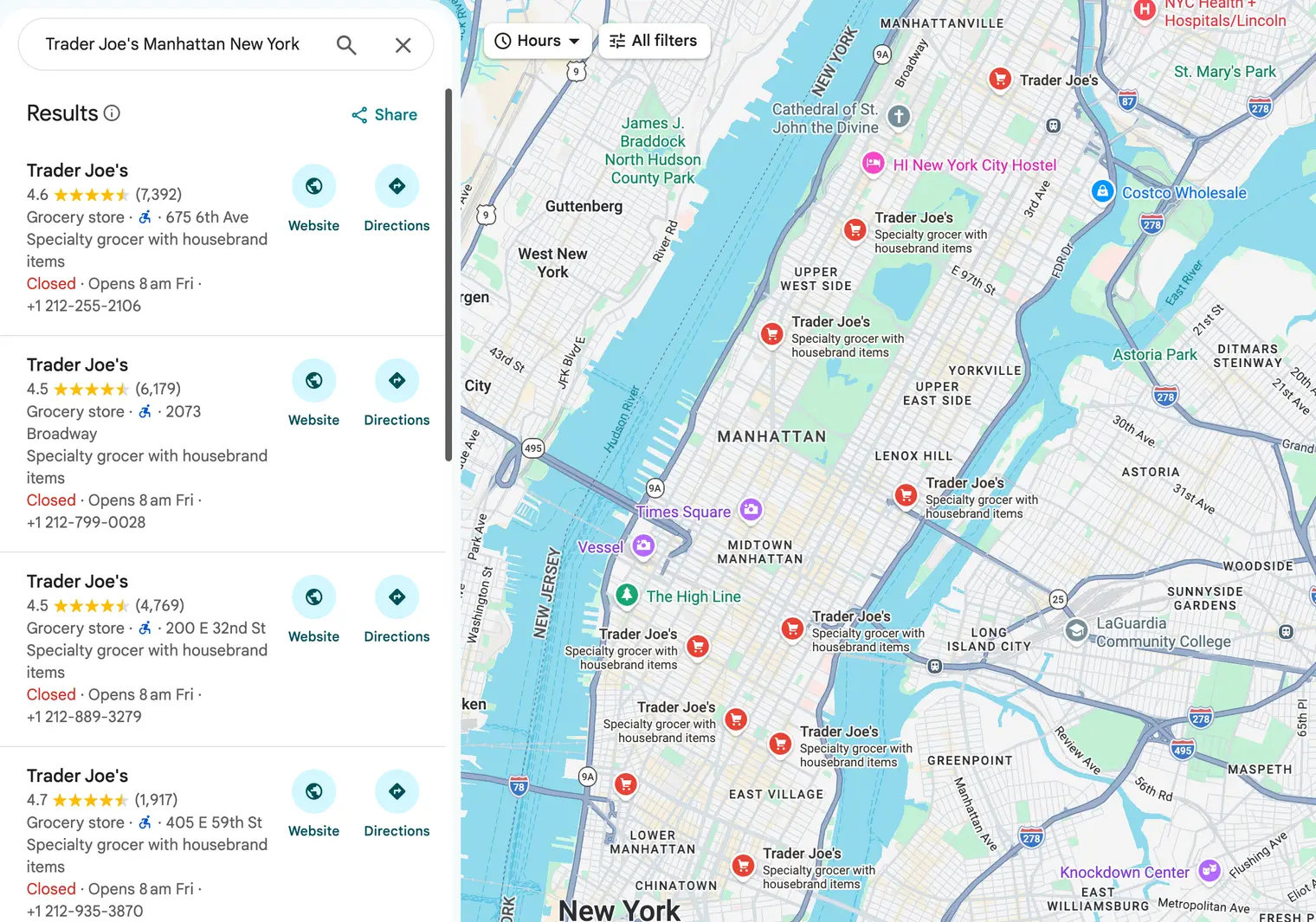
Google’s business guidelines explain location eligibility and consistency for chains. A real branch can qualify for its own profile; a city you serve is not automatically another location.
For shops providing the same services, use consistent real-world brand names and categories. Do not add a city or service phrase to the business name unless it is genuinely part of that location’s name.
Check these details separately for each branch:
- Correct address and location setup.
- Normal and special opening hours.
- A working phone number and relevant website link.
- Services, facilities, and photos that reflect that branch.
- Owner or manager access and verification status.
For example, one branch may offer repairs while another only sells products. Describe that difference accurately instead of copying all fields across both.
Follow the add-or-claim guide and verification guide for the setup. Each location must be properly verified, either individually or through an eligible bulk process.
2. Build useful local landing pages
Local landing pages, also called location pages, are the pages people arrive on for a particular branch. Give each branch a stable URL that can be opened and shared directly.
For example, a three-branch retailer might use /locations/north, /locations/centre, and /locations/south. Those paths are examples, not a required SEO format.
A branch page should answer:
- Where is the shop and where is its entrance?
- When is this branch open, including relevant exceptions?
- Which products or services are available here?
- How can someone contact or book with this branch?
- What should visitors know about parking, transport, or access?
- What makes this location different, such as its team or facilities?
Use real branch photos where available. A map can help with directions, but keep the address and hours readable as text too.
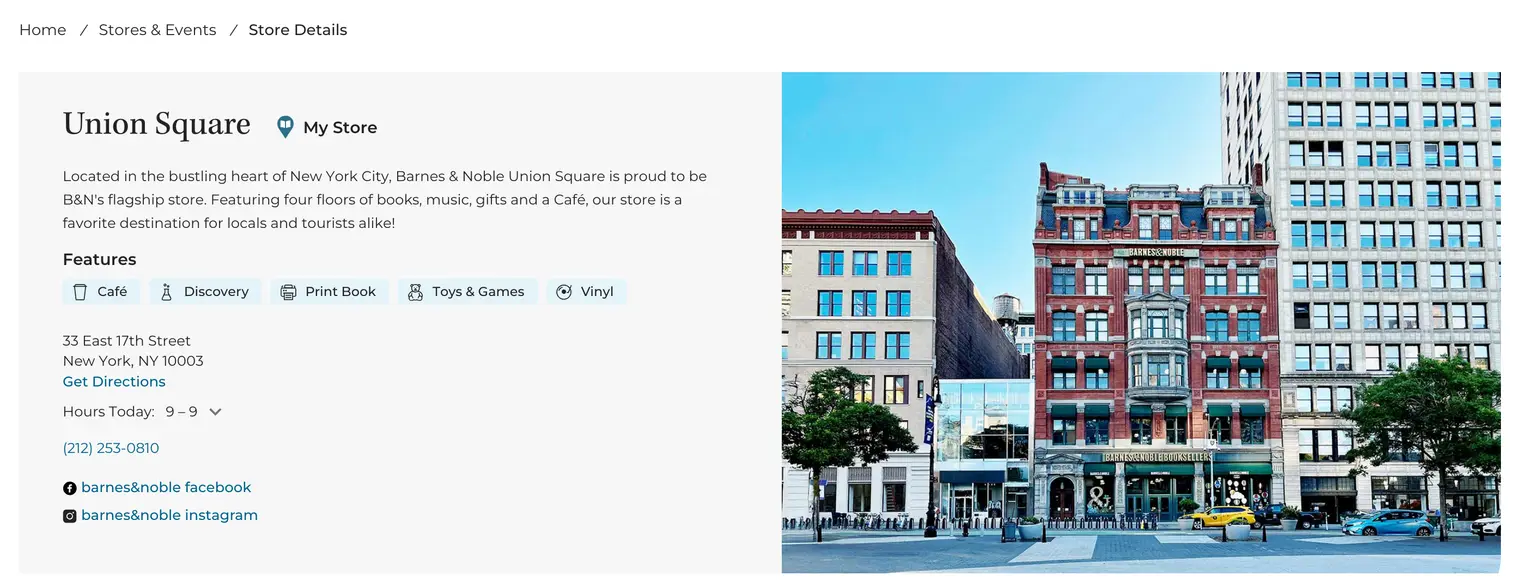
What does location page SEO involve?
Give the page a clear title and heading identifying the business and location. Link to it from your location directory and relevant pages so visitors can find it.
Write services and arrival details in natural language. Test phone links, booking links, and directions on a phone.
A developer can also add structured data: information in a format search engines can read. Google’s LocalBusiness documentation describes marking up individual locations. It should match the branch details visible on the page and does not guarantee a special result.
3. Avoid city pages that add no useful information
A shared layout can make location pages easier to maintain. Reusing a template is different from changing only the city name in an otherwise unhelpful page.
For example, a branch page with the actual address, opening hours, local services, and parking details gives a visitor reasons to use it. Ten pages claiming the same service in ten cities, all sending people to one generic contact page, may not.
Google’s doorway-abuse policy covers pages made for similar regional searches that act as less useful intermediate destinations.
City landing pages should explain a genuine location or useful service coverage. Do not invent offices or imply that customers can visit a branch that does not exist.
What if two branches seem to compete?
Two real branches can both serve customers looking for the same product. Different results across neighbourhoods are not automatically a fault.
Investigate when a search for one specific branch keeps leading to another branch’s page. Check the titles, addresses, internal links, and profile website destinations.
If two URLs describe the same branch, decide which page should remain and arrange a suitable redirect. Keep useful pages for genuinely different branches.
4. Link each profile to the relevant branch page
Use the profile’s website field to take customers to the page that matches that location, where an appropriate page exists.
For example, a person opening the north branch’s profile should land on its hours and contact details. They should not have to search the whole site to discover which branch they selected.
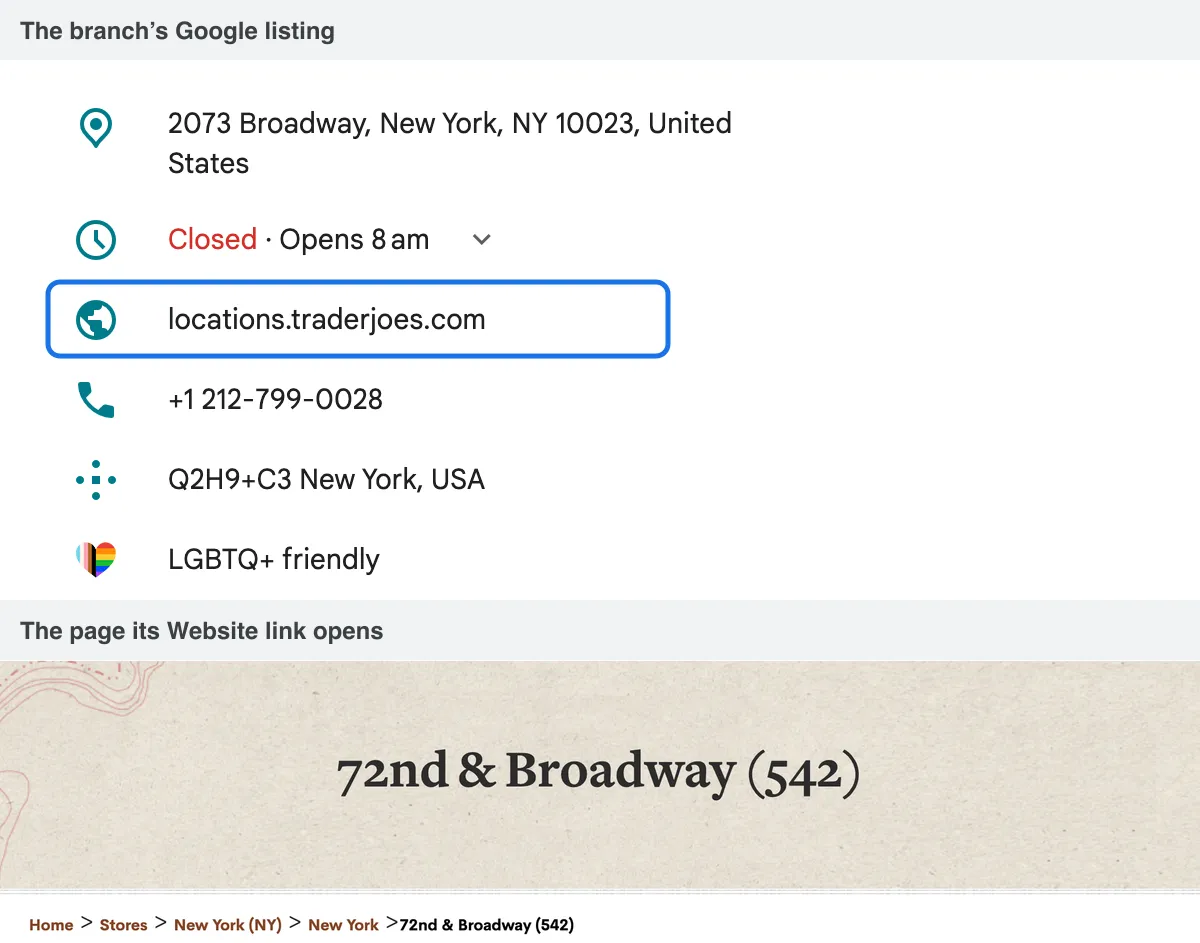
Test every destination after adding it. Check that it opens, shows the correct branch, and works on a phone.
Use the store locator to help people who have not yet chosen a branch. Use an individual location page when the visitor already needs that branch’s details.
5. Keep branch information consistent
Keep a central location record with a stable branch ID, address, phone number, profile link, website URL, normal hours, and the person responsible for updates.
When hours or contact details change, update the affected profile, website page, and important external listings. NAP means name, address, and phone number; these details need to identify the same real branch across sites.
For example, changing a phone number on your website does not automatically change an old directory listing. Check the places customers actually use.
A listing-management service can help coordinate some external updates. Locatestore is a website store locator, not a service for synchronising business listings across directories.
6. Use bulk management when it fits
Google Business Profile Manager supports working with multiple profiles, including spreadsheet-based management. Google’s bulk spreadsheet guide explains the fields and import process.
Keep a current copy before making a bulk update. Use a unique code for each branch and review the spreadsheet columns carefully. Google warns that included columns with blank values can clear existing information.
What changes at ten or more locations?
Eligible businesses with ten or more locations of the same business can request bulk verification. Additional conditions apply, and service-area businesses are excluded from that process.
Submitting a spreadsheet is not the same as submitting a verification request. Follow the separate request steps and resolve ownership or profile errors where needed.
When does a store locator help?
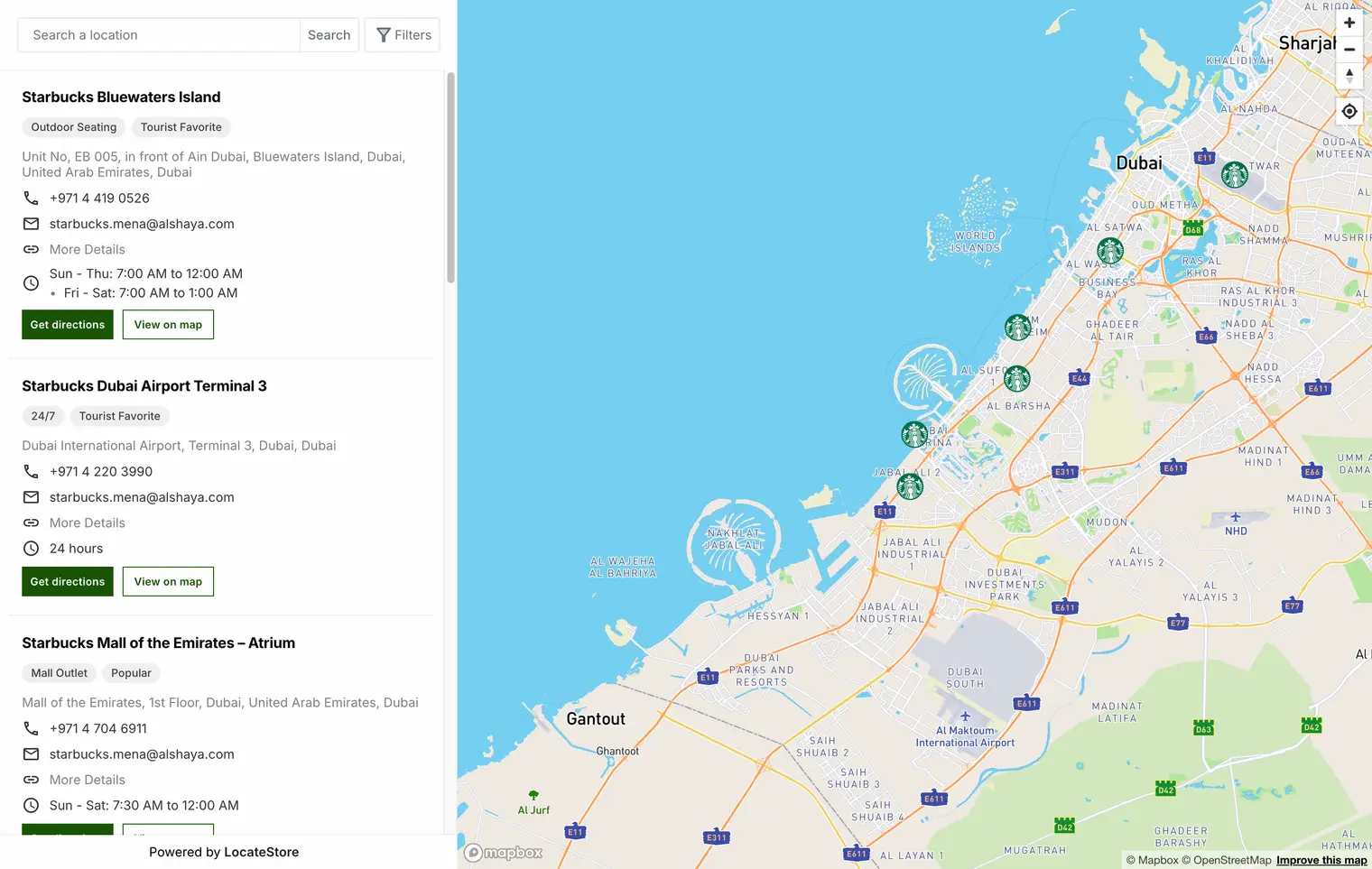
If a long branch list is hard to browse, a searchable locator can help customers choose a nearby location. Keep individual branch pages useful and link to them where appropriate.
For example, a customer can choose a branch from the map, then open that branch’s details. Locatestore can build the searchable map from a Google Sheet of locations. The locator helps people navigate your site; it does not guarantee rankings or replace profile management.
7. Measure each branch separately
A strong overall result can hide a struggling location. Keep a short report per branch using consistent date ranges.
| Measure | What it tells you | What to avoid assuming |
|---|---|---|
| Local search checks | Whether a branch appears for selected searches and places | One position applies across the whole city |
| Profile actions | People interacted with a particular listing | Every direction request became a visit |
| Location-page search traffic | A branch page appeared or received clicks in website search results | Its website position is its Maps position |
| Enquiries, bookings, and counted entries | Activity recorded by the business | Every change was caused by SEO |
Google’s profile performance guide explains listing metrics. For example, the calls metric counts clicks on the call button, not every completed call.
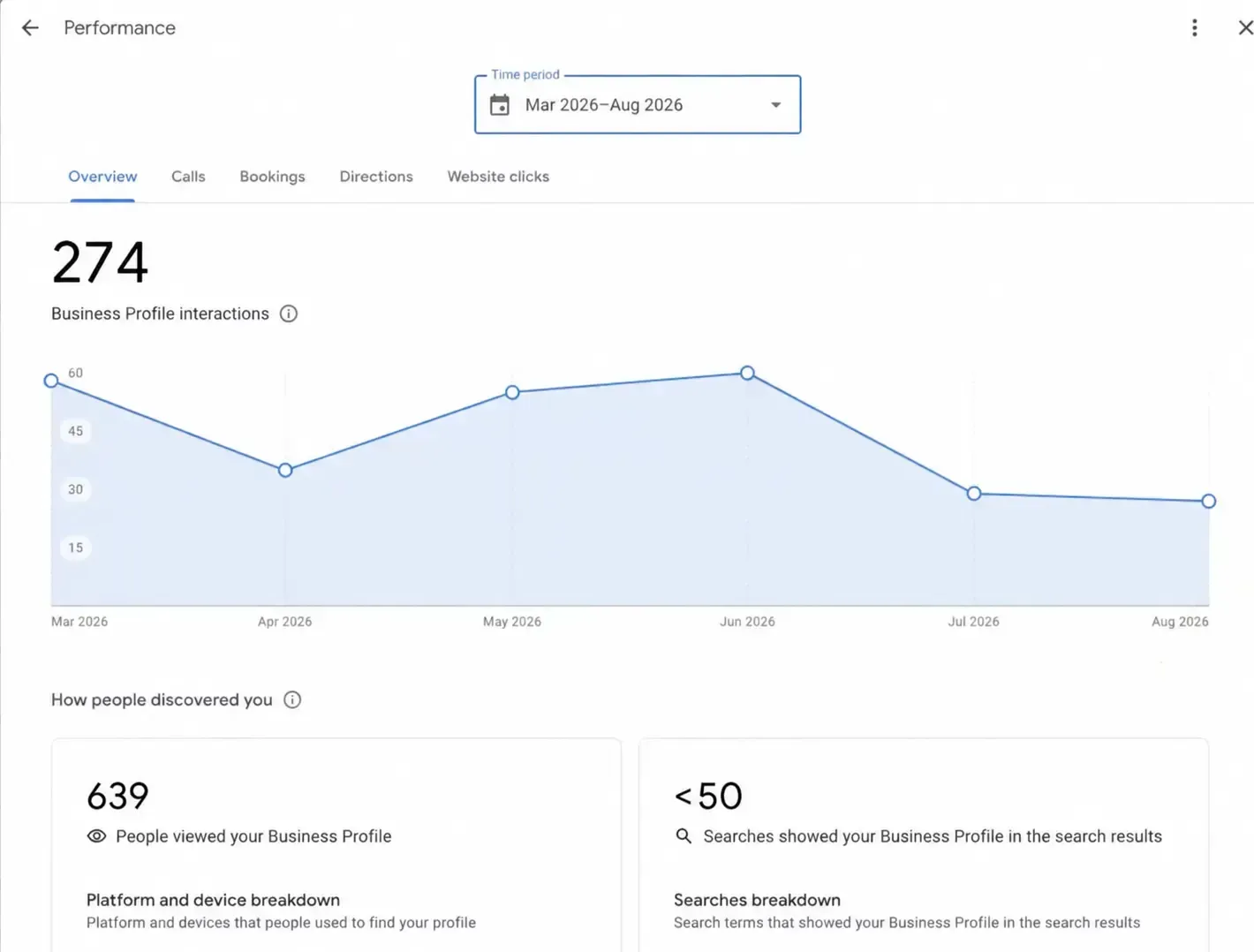
For website results, use the Pages view in Google Search Console’s performance report to compare individual location URLs. It is a different report from profile performance.
A simple branch comparison
Imagine the north branch receives 40 direction requests while the south branch receives 10 during the same month. These are illustrative numbers.
Check the south branch’s hours, profile status, website destination, and local search visibility. Also consider different demand, services, and trading conditions. The figures alone do not identify a cause or confirm store visits.
Use the Maps optimization guide for profile checks and the foot traffic guide for what happens after someone finds you.
How does this fit into multi-location marketing?
Multi-location marketing includes campaigns, events, customer messages, and promotions for different branches. SEO supplies accurate local information that those activities can use.
For example, a workshop at the north branch needs that branch’s event time, booking page, and arrival details. Send the campaign to a suitable local audience and link to the correct destination.
Coordinate brand-wide information centrally, while letting branch staff confirm local facts. Avoid promoting a service at every location when only one provides it.
What should you do first?
Choose one branch and trace the customer journey: search result, profile, website page, contact option, and directions. Correct anything that points to the wrong location.
Then create a branch checklist and repeat it across your business. Review the results per location so your next improvement addresses a specific problem.